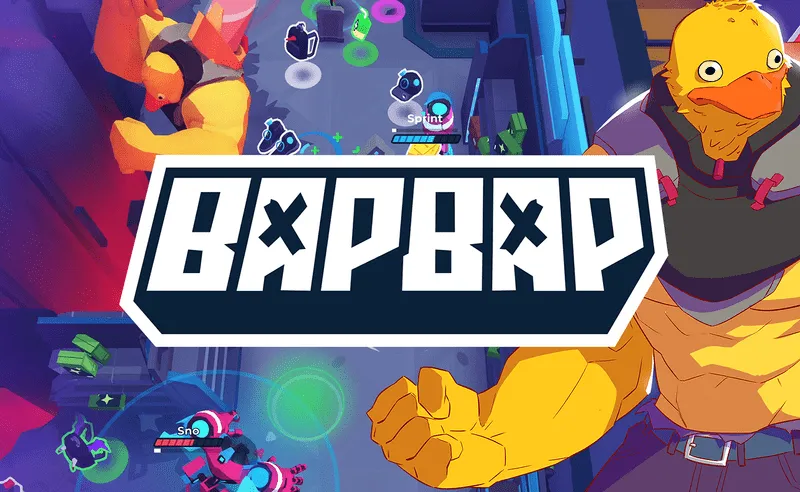
BAPBAP

Grand Theft Auto: Vice City

Fortnite

Terraria

Happy Wheels

Bleach vs Naruto 3.3

Gun Simulator

RocketGoal.io

Stick War 2

Critical Strike: Global Ops

Bloxd.io

PolyTrack

100 Doors Games: Escape from School
If you ever wondered what a crossover of MOBA and Battle Royale games is supposed to look like, make sure to check out the awesome BAPBAP game! This anime-styled MOBA features PvP and PvE elements, incredible 3D graphics, amazing sound effects, 11 unique characters, and currently only 3v3 game mode, with a couple more in development.
The objective is to be the last man standing while staying inside the shrinking circle at all costs. Kill mobs and other players to collect loot and equip your character with stronger items. Play with your friends or other aspiring gamers worldwide and move as a team to improve your chances of becoming victorious. Try all the characters available to determine which one suits your playstyle the most, and start stomping your opponents across the arena!
How to play BAPBAP
All the characters available have unique strengths and weaknesses, so it’s essential to at least read through their abilities to get a better idea of who you feel like playing. Once you’ve tried them all out, focus on just a couple of characters and master the specifics of their gameplay, and you’ll become a well-respected teammate. Playing as a team is a much better strategy than going solo, simply because you’ll be able to compensate for each other’s weaknesses.
What are the controls for BAPBAP?
BAPBAP is currently exclusively playable in a PC browser. The default controls are shown in the list below, but you can adjust them to your preferences in the settings game menu.
- WASD — move
- Left mouse button — use basic ability
- Q — use the special ability
- Space — use movement ability
- E — use ultimate ability
- F — interact/pick up items
- V — emote
- R — heal
- Left Shift — repair
Features
- MOBA meets Battle Royale in an amazing anime-styled universe
- Exciting gameplay, gorgeous graphics, and great sound effects
- Plenty of characters to try out, unlock, and upgrade
- Get ahead of the curve by playing the next big game open Beta
You might like
See all
Crazy Cattle 3D

Lucky Tower 2

Granny 2

3 Foot Ninja 2

Deer Adventure

Dude Theft Auto

Venge.io

Kour.io

mk48.io

Madalin Stunt Cars 2

BumpyBall.io

Lurkers.io

Deadswitch 3

Schoolbreak.io

Combo Factory

Mini Royale: Nations

Escape Road City 2

CoD Zombies: Portable

Devast.io
