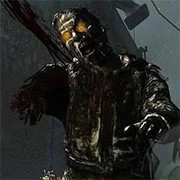
Call of Zombies 2

BuildNow GG
Shooting
5

Baby Sniper In Vietnam
Shooting
4.5

1v1 Battle
Shooting
5

Stealth Sniper
Shooting
5
1943: The Battle of Midway (Arcade)
Shooting
4.5

10 Minutes Till Dawn
Shooting
4.5

1941 Frozen Front Online
Shooting
4.5

1941: Counter Attack
Shooting
4.5

19XX: The War Against Destiny
Shooting
4.5

13 Days After: Survival
Shooting
4.5

A Sniper’s Vengeance : The Story of Linh
Shooting
4.5

War Heroes: France 1944
Shooting
5
Shooting
4.5
HTML5|Mouse / Keyboard|Browser
Go back to the thrilling world of Call of Zombies in this second installment. Lots of zombies are added and it gets harder and harder every wave. Shot down the zombies before they eat your brain.
Will you be able to survive this hellish kind of world?
How to Play:
How to Play:WASD: Move
P: Pause
Z: Toggle Deadzone Aiming
V: Melee attack
H: Holster Weapon
B: Fire Mode
R: Reload
F: Open SHop/Move NPC
F: Use/Move Items
Spacebar: Jump
E: Lean Right
Q: Lean Left
X: Prone
CTRL: (Left) Crouch
SHIFT:(Left) Sprint
Right Mouse Click: Shoot
L: Toggle Mouse Lock
You might like
See all
Hazmob FPS: Online Shooter
Shooting
5

2DOOM
Shooting
4.5

13 Days in Hell
Shooting
4.5

A Gun in Time
Shooting
4.5

Madness Project Nexus
Shooting
5

Binding of Isaac
Shooting
4.5

SkillWarz: Legacy Edition
Shooting
4.5

A Zombie Survival game
Shooting
4.5

Robokill
Shooting
4.5

Resident Evil: Director’s Cut
Shooting
4.5
Dead Zed 2
Shooting
4.5

Heli Attack 3
Shooting
4.5

Gun Mayhem 3
Shooting
4.5

Endless War 3
Shooting
4.5

Cuphead Brothers in Arms
Shooting
4.5

Cross Fire: Call of Duty
Shooting
4.5

Endless Zombie Rampage 2
Shooting
4.5
SuperHOT
Shooting
4.5

Cannon Defense
Shooting
5
SuperFighters 2
Shooting
4.5