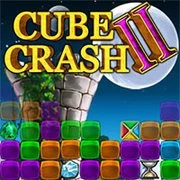
Cube Crash 2
Around the World in 80 Days
Match 32026140
Runes of the Ancient Forest
Match 3202660
Bejeweled HD
Match 3202630
Match & Merge
Match 3202630
Bubble Burst
Match 3202630
Christmas Night
Match 3202630
Galactic Gems 2
Match 3202630

Piece of Cake: Merge & Bake
Match 3202620
Candy Crush Saga Online
Match 3202620
Bubble Shooter Archibald the Pirate
Match 3202620
Ice Cream Blast
Match 3202620
Cat Corner
Match 3202620
Match 3
4.5
HTML5|Mouse / Keyboard|Browser
Cube Crash 2 is the sequel to the addicting match 3 game Cube Crash. Cube Crash 2 offers a new, exciting, fast paced Arcade game play mode as well as the original Classic game play mode.
In Arcade mode click to remove groups of 3 cubes of the same color to recharge your powerups and collect gemstones. Use your lightning bolts, bombs and various other powerups to destroy cubes or collect gems, but watch out for items in the grid which can damage you.
If the fast paced play of Arcade is too much then check out the original game play of the Cube Crash in Classic mode. There is no time limit and the goal is to maximize your score as much as possible.
You might like
See all
TMNT: Booyakasha Blitz
Match 3202620
Galactic Gems
Match 3202620
Galactic Gems 2: New Frontiers
Match 3202620
Bejeweled Blitz
Match 3202620
Quinta Color
Match 3202620

The Path Of Hercules
Match 3202610

Candy Crush
Match 3202610

Jewelanche
Match 3202610
Magical Drop 3 (Arcade)
Match 3202610
Monkey Trouble 2
Match 3202610
Sea Treasure Match
Match 3202610
Bubble Elements
Match 3202610
Bomboozle 2
Match 3202610
Match Craft
Match 3202610
Cube Clicks
Match 3202610
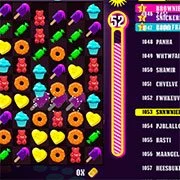
Sugar Shock
Match 3202610

Super Metroid
Emulator202610.5K0

Game & Watch Gallery 3
Emulator202610.5K0

Mario & Luigi RPG 3
Emulator202610.5K25

Rayman
Emulator202610.4K0