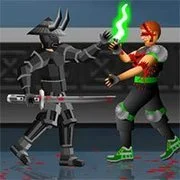
Dead Samurai 2
Crazy Zombie 9 Unlocked
Fighting2026450
KOF Wing Ex 2
Fighting2026310
Super Brawl 2
Fighting2026280
Chicken Chaser
Fighting2026240
Newgrounds Rumble
Fighting2026190
Blade Master (Arcade)
Fighting2026150
KOF Vs DNF
Fighting2026130
Street Fighter II Champion Edition
Fighting2026120
Fatal Fury 2
Fighting2026100

Fight Man Xiao Xiao 3
Fighting202690
Bakers Defense
Fighting202680
Godzilla Daikaiju Battle Royale
Fighting202680
Fighting
4.5
HTML5|Mouse / Keyboard|Browser
The sequel of Dead Samurai is here. Get ready for more bloody duel in Dead Samurai 2 with new samurai warriors upgrades with horse, grenades, shotgun, new 2 players mode, and more.
Move the samurai with your cursor. Click to strike. Change stance by striking. You can achieve combos by combining different strikes. Super moves are unlocked with the full combo bar. Your movement (walking, running, jumping) and stance determine the type of attack. Throw shurikens by crouching backwards. Jump backwards and strike for a triple shuriken.
You might like
See all
Samurai Shodown 3
Fighting2026836
Combat Tournament Legends
Fighting202680
Street Fighter III: 2nd Impact
Fighting202670
The Fight For Glorton
Fighting202670
Mortal Kombat Karnage
Fighting202660
Gladiator Arena
Fighting202660
Chaos Faction 2
Fighting202660
Mortal Kombat: Tournament Edition
Fighting202660
Ultimate Fighting
Fighting202650
Boxing Live 2
Fighting202650

Celebrity Fight Club
Fighting202650
Slush Invaders
Fighting202651
Concussion Stick Fighter
Fighting202650

Arena – MIT Scratch
Fighting202650
Street Fighter Flash
Fighting202650
Fight Arena Online
Fighting202640
Avatar Arena
Fighting202640
Evo Wars (evowars.io)
Fighting202640
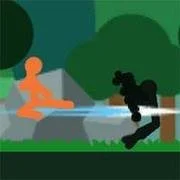
Stick Fight 2
Fighting202640

Matrix Rampage 2
Fighting202640