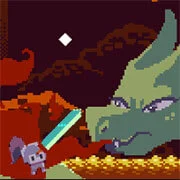
Deepest Sword

BFDIA: 5b – Battle for Dream Island
Puzzle2026420
Crimson Room
Puzzle2026300

A Taste of the Past
Puzzle2026281

A Little to the Left
Puzzle2026260

Angry Birds Halloween HD
Puzzle2026220
A Game of Cups
Puzzle2026180

Admin
Puzzle2026140

Grow Cube
Puzzle2026110
Heroes of Pico’s School
Puzzle2026100

Puzzle Pelago
Puzzle202690
World’s Hardest Game
Puzzle202680
Replaceable Blocks
Puzzle202680
Puzzle
4.5
HTML5|Mouse / Keyboard|Browser
Play as a knight as he venture deep into the Cavern in order to slay a dragon with his big heavy sword.
Created in 72 hours for Ludum Dare 48 Jam. The theme was “deeper and deeper”.
Credits
Vu Ha – Code & Sounds
Rose Peng – Art
Johan Soriao – Music
Useful Tools
jfxr – https://acedio.github.io/animalese.js/
animalese – https://acedio.github.io/animalese.js/
Links
Ludum Dare 48 Game Page
How to Play:
How to Play:
Keyboard and Mouse
Move – WASD
Swing Sword – Mouse buttons
Keyboard Only
Move – WASD or Arrows
Swing Sword – < and > or X and Z
Speed Running
Full reset – Num 0
You might like
See all
Night Light
Puzzle202670
Red Ball 4: Volume 3
Puzzle202670
Big-Time Butter Baron
Puzzle202670
Zombie Parade Defense 3
Puzzle202660
Hyper Maze Arcade
Puzzle202660
Abandoned: The Cube Chambers
Puzzle202660

Truck Loader
Puzzle202660
Block Puzzle
Puzzle202650

The Scruffs Online
Puzzle202650
Submachine 10: the Exit
Puzzle202650

Pursuit of Hat
Puzzle202650
Robo Trobo
Puzzle202650
Train Crisis Lite
Puzzle202650

An Oddly Satisfying Game
Puzzle202650
Roly-Poly Cannon: Bloody Monsters Pack 2
Puzzle202650
Tomb Run (Tomb of the Mask)
Puzzle202650

Youda Legend The Golden Bird of Paradise
Puzzle202640

ROme Puzzle
Puzzle202640

Confuse Box 2
Puzzle202640

Alien Catcher
Puzzle202640