
Endless War 4

BuildNow GG
Shooting2026542

1v1 Battle
Shooting2026541

Baby Sniper In Vietnam
Shooting2026520

Stealth Sniper
Shooting2026492

A Sniper’s Vengeance : The Story of Linh
Shooting2026320

War Heroes: France 1944
Shooting2026321

10 Minutes Till Dawn
Shooting2026320

1941 Frozen Front Online
Shooting2026290

19XX: The War Against Destiny
Shooting2026280

1941: Counter Attack
Shooting2026280

Hazmob FPS: Online Shooter
Shooting2026283

13 Days After: Survival
Shooting2026270
Shooting
4.5
HTML5|Mouse / Keyboard|Browser
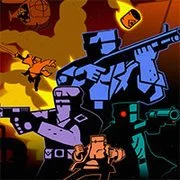
Endless War have returned! 12 new missions in 3 campaigns about past and future battles are waiting for you. And now each mission is a set of 3 maps. Some new guns like blade launcher and laser have been added too.
How to Play:
How to Play:WASD – moving, Mouse – aim and shoot, R – reload, Space – alternate attack, G – drop gun (so you’ll be able to pick up another), F – throw grenade, Shift – lie down (to avoid enemy fire), E – switch allies, Q – command an ally to move to pointer position
You might like
See all
13 Days in Hell
Shooting2026230

2DOOM
Shooting2026230

A Gun in Time
Shooting2026210

SkillWarz: Legacy Edition
Shooting2026180

Madness Project Nexus
Shooting2026171

Robokill
Shooting2026170

Binding of Isaac
Shooting2026150

A Zombie Survival game
Shooting2026140

Cuphead Brothers in Arms
Shooting2026110

Resident Evil: Director’s Cut
Shooting2026100

Gun Mayhem 3
Shooting2026100

Endless War 3
Shooting2026100
Metal Slug 3
Shooting202690

Cannon Defense
Shooting202691
Star Wars The Clone Wars Live Fire
Shooting202690

Heli Attack 3
Shooting202690

Cross Fire: Call of Duty
Shooting202680
Metal Slug: Super Vehicle-001
Shooting202681
SuperHOT
Shooting202680
SuperFighters 2
Shooting202680