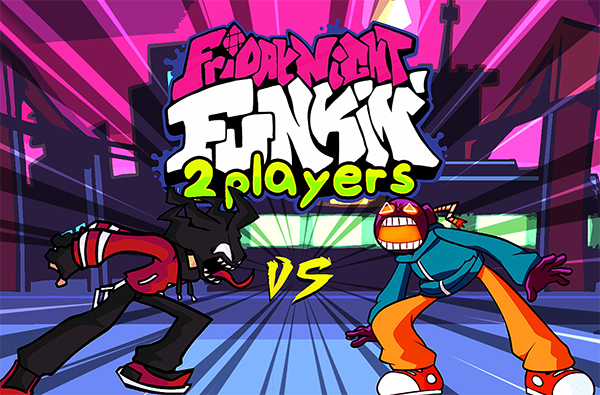
Friday Night Funkin': 2 Players

Grand Theft Auto: Vice City

Fortnite

Terraria

Happy Wheels

Bleach vs Naruto 3.3

Gun Simulator

RocketGoal.io

Stick War 2

Critical Strike: Global Ops

Bloxd.io

PolyTrack

100 Doors Games: Escape from School
Friday Night Funkin': 2 Player is an extension of the popular rhythm game, Friday Night Funkin' (FnF), known for its catchy music and retro-inspired art style. This version brings a new twist by introducing a two-player mode, allowing players to compete against each other in musical battles. Set in a vibrant world where music is your weapon, players take turns to mimic complex rhythms and outperform their opponent.
How to play Friday Night Funkin: 2 Player?
In Friday Night Funkin: 2 Player, the goal is to follow the rhythm and hit the notes with precision. The game screen is split into two sections, each representing a player. Notes will scroll on the screen in sync with the music, and players must press the corresponding keys as the notes pass through the scoring area. Accuracy and timing are key, as successful hits will score points and increase your meter, while misses will reduce it. The player with the highest score at the end of the song wins the round.
What are the controls for Friday Night Funkin: 2 Player?
Player 1 Controls:
- Arrow Keys: Move through the notes
Player 2 Controls:
- W, A, S, D: Move through the notes
Features
- Two-player competitive mode
- Diverse soundtrack with catchy tunes
- Retro pixel art visuals
- Adjustable difficulty levels
- Real-time scoring system
- Variety of characters and backgrounds
You might like
See all
Crazy Cattle 3D

Granny 2

Lucky Tower 2

3 Foot Ninja 2

Deer Adventure

Dude Theft Auto

Venge.io

Kour.io

Madalin Stunt Cars 2

BumpyBall.io

mk48.io

Lurkers.io

Deadswitch 3

Schoolbreak.io

Combo Factory

CoD Zombies: Portable

Escape Road City 2

Devast.io

Mini Royale: Nations
