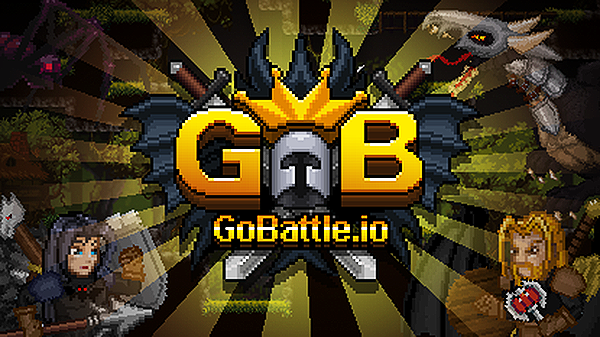
GoBattle.io

Grand Theft Auto: Vice City

Fortnite

Terraria

Happy Wheels

Bleach vs Naruto 3.3

Gun Simulator

RocketGoal.io

Stick War 2

Critical Strike: Global Ops

Bloxd.io

PolyTrack

100 Doors Games: Escape from School
GoBattle.io is a medieval-themed multiplayer .IO game where you control a knight in pixelated, retro-style battles against other players. Your main goal is to collect coins, defeat opponents, and strive to become the king across various game modes including dungeon runs, "damageball" - football with a poisoned ball, and battle royale.
How to play GoBattle.io?
Embark on an action-packed adventure where you control a knight aiming to conquer and survive against other players. Start by selecting the game mode from four different options:
Adventure mode: Scary dungeons and exciting boss battles!
King mode: Free for all, collect the most coins to reign as king!
Damageball: Team-based football, except the ball is poisonous!
Battle Royale: Only one survivor. Be the best and eliminate the rest!
You'll navigate through different maps, collect coins from defeated knights, and use these coins to upgrade your weapons and armor. Each game mode offers unique challenges, whether it's collecting the most coins in a dungeon crawl or surviving in a battle royale setting.
What are the controls for GoBattle.io?
- Move: Use the Arrow keys or WASD
- Jump: Press the Up arrow key or W
- Cover/Shield: Use the Down arrow key or S
- Throw weapon: Press the Spacebar
- Sword attack: Press V
- Switch Weapon: Press C
- Roll: Down arrow / S + V
- Aerial dash: While in the air, press left or right twice to dash
- Uppercut: Press down button, then right or left button and then V to make a vertical attack
- Dash attack: Press left, then right, then V to make a dash attack while on the ground
- Aerial down attack: Press down button twice and then V while in the air to make a falling attack
Features
- Multiple Game Modes: Choose from various modes including team battles and solo survival
- Customizable Characters: Equip your knight with a wide array of weapons and armor
- Interactive Maps: Explore and battle across diverse medieval landscapes
- Real-Time Multiplayer Combat: Fight against players from around the globe
- Retro Pixel Art Style: Enjoy the charm of classic pixel graphics as you duel in a medieval setting
You might like
See all
Crazy Cattle 3D

Granny 2

Lucky Tower 2

3 Foot Ninja 2

Deer Adventure

Dude Theft Auto

Venge.io

Kour.io

mk48.io

Madalin Stunt Cars 2

BumpyBall.io

Lurkers.io

Deadswitch 3

Schoolbreak.io

Combo Factory

CoD Zombies: Portable

Escape Road City 2

Mini Royale: Nations

Devast.io
