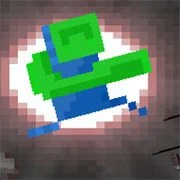
Green Gunner

BuildNow GG
Shooting
5

Baby Sniper In Vietnam
Shooting
4.5

Stealth Sniper
Shooting
5

1v1 Battle
Shooting
5
1943: The Battle of Midway (Arcade)
Shooting
4.5

10 Minutes Till Dawn
Shooting
4.5

1941: Counter Attack
Shooting
4.5

19XX: The War Against Destiny
Shooting
4.5

1941 Frozen Front Online
Shooting
4.5

13 Days After: Survival
Shooting
4.5

War Heroes: France 1944
Shooting
5

A Sniper’s Vengeance : The Story of Linh
Shooting
4.5
Shooting
4.5
HTML5|Mouse / Keyboard|Browser
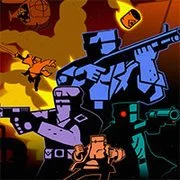
A pixelated action platformer with elements of puzzle and shooting.
In Green Gunner players can shoot in all four different directions: up, down, left and right. Your ammo regenerates if you are stand still. There are many types of enemies like small tanks and robots. Some enemies shoot back and others are there for you to dodge or for you too shoot trough.
Other obstacles are large lava area’s where some are too big for you jump over. This is where another more unique aspect of the game is, different kind of function-blocks. Some blocks are like wooden crates, they just blow up when you shoot enough bullets at them. But other have functionality like the red one’s that are hanging above lava pits. If you shoot at a red block then it falls down in the lava pit, for you stand on and so make a safe path to get to the other side.
Green blocks get activated when you shoot at them and they turn into a moving platform, so the player can reach new areas in the game. Blocks that have a skull on them can better be avoided, because if you touch them they will detonate. But sometimes you need to use them quickly as a platform. Besides blocks there are treadmills and a lot of lasers.
In the first couple of levels the player get to know the different blocks and their functionality. Later levels adds more complexity of the blocks and more tough enemies.
Steam greenlight page: https://steamcommunity.com/sharedfiles/filedetails/?id=871056668
How to Play:
How to Play:Move – Arrow keys / W, A, S, D / D-PAD / Left stick controller
Jump – X / L / Space / A Button controller
Shoot- Z / K / X Button controller
Back to Menu – ESC / P / Start-Back Button controller
M to mute all audio
You might like
See all
2DOOM
Shooting
4.5

Hazmob FPS: Online Shooter
Shooting
5

13 Days in Hell
Shooting
4.5

A Gun in Time
Shooting
4.5

Madness Project Nexus
Shooting
5

Binding of Isaac
Shooting
4.5

SkillWarz: Legacy Edition
Shooting
4.5

A Zombie Survival game
Shooting
4.5

Robokill
Shooting
4.5

Resident Evil: Director’s Cut
Shooting
4.5

Gun Mayhem 3
Shooting
4.5
Dead Zed 2
Shooting
4.5

Heli Attack 3
Shooting
4.5

Endless War 3
Shooting
4.5

Cuphead Brothers in Arms
Shooting
4.5

Cross Fire: Call of Duty
Shooting
4.5

Endless Zombie Rampage 2
Shooting
4.5
SuperHOT
Shooting
4.5

Cannon Defense
Shooting
5
SuperFighters 2
Shooting
4.5