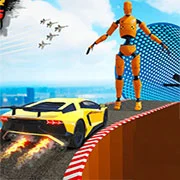
Hyper Cars Ramp Crash

Grand Theft Auto: Vice City
Action20262.3K122

Fortnite
Action20261820

Terraria
Action20261494

Happy Wheels
Action20261381

Bleach vs Naruto 3.3
Action20261091

Gun Simulator
Action20261000

RocketGoal.io
Action2026861

Stick War 2
Action2026590

Critical Strike: Global Ops
Action2026570

Bloxd.io
Action2026561

PolyTrack
Action2026470

100 Doors Games: Escape from School
Action2026320
Action
4.5
HTML5|Mouse / Keyboard|Browser
Hyper Cars Ramp Crash is an 3D stunt and crash simulation game that features realistic physics and impressive graphics. Players can execute breathtaking stunts using a variety of super-sport car models, with seven different cars available in the garage for selection. The game offers several modes, including open world, stunt modes, and a unique fall mode, each designed to enhance the thrill of the gameplay. Additionally, these modes can be enjoyed solo or with a friend in both 1-player and 2-player settings. This game provides an exhilarating experience for players eager to test their driving and stunt-performing skills in dynamic and visually captivating environments.
How to Play:
How to Play:
Player 1:
Move: “W,A,S,D“
NOS: “L-SHIFT“
Restart car position: “R“
Change camera view: “C“
Player 2:
Move: “ARROW KEYS“
NOS: “N“
Restart car position: “L“
Change camera view: “U“
You might like
See all
Crazy Cattle 3D
Action20263120

Granny 2
Action2026270

Lucky Tower 2
Action2026272

3 Foot Ninja 2
Action2026220

Deer Adventure
Action2026200

Dude Theft Auto
Action2026202

Venge.io
Action2026191

Kour.io
Action2026171

BumpyBall.io
Action2026160

mk48.io
Action2026163

Madalin Stunt Cars 2
Action2026161

Lurkers.io
Action2026151

Deadswitch 3
Action2026141

Schoolbreak.io
Action2026141

Combo Factory
Action2026140

CoD Zombies: Portable
Action2026130

Escape Road City 2
Action2026130

Devast.io
Action2026130

Mini Royale: Nations
Action2026130

Brutal.io
Action2026120