Island Doodle

Cafe Panic
Casual2026130

Crazy Bikes
Casual2026130

Loser Named Hana
Casual2026120
Rob A Car
Casual2026121

Missed Messages
Casual2026100

The Witch in the Forest
Casual202650
Idle Breakout
Casual202640

Good Morning!
Casual202630

Learn to Fly Idle
Casual202620
Grow Island
Casual202620
Planet Evolution: Idle Clicker
Casual202610

Super Metroid
Emulator202610.5K0
Casual
4.5
HTML5|Mouse / Keyboard|Browser
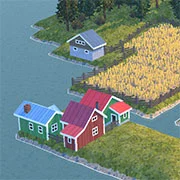
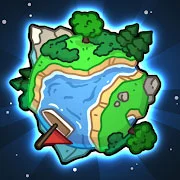
Island Doodle is inspired by the Nordic islands where you can create your own islands. Just a heads up, the game might get a bit slow if you build a lot of land, because the game makes the terrain as you go.
Here’s how you control the game:
Drawing: Just click or hold down and drag your left mouse button.
Rotating camera: Hold down and drag your right mouse button.
Moving camera: Hold down and drag your middle mouse button (the wheel).
Zoom in and out: Scroll up and down using the mouse wheel.
You can check out example world 4 to see how to make things like rivers and piers. Let’s get building!
Made by mattstark
You might like
See all
Game & Watch Gallery 3
Emulator202610.5K0

Mario & Luigi RPG 3
Emulator202610.5K25

Rayman
Emulator202610.4K0

Pokemon Black Version
Emulator202610.4K0

Spider-Man 2
Emulator202610.4K1
Mario Kart 64
Emulator202610.4K0
LEGO Harry Potter Years 5-7
Emulator202610.4K0

Friday the 13th
Emulator202610.3K0

Indiana Jones And The Infernal Machine
Emulator202610.3K0

Conker's Bad Fur Day
Emulator202610.3K0
Yoshi's Island: Super Mario Advance 3
Emulator202610.3K0
Pac-Mania
Emulator202610.3K0

Yu-Gi-Oh! – 7 Trials to Glory
Emulator202610.3K0
Pokemon Pinball - Ruby & Sapphire
Emulator202610.3K0

Cadillacs And Dinosaurs
Emulator202610.2K0

Pokemon Unbound
Emulator202610.2K0
Pokemon Ultra Violet
Emulator202610.2K0

Star Wars - Episode III - Revenge of the Sith
Emulator202610.2K0
Mario and Luigi: Superstar Saga
Emulator202610.2K0
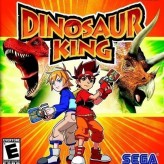
Dinosaur King
Emulator202610.2K0