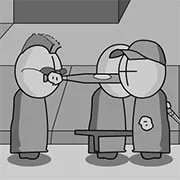
Madness Interactive

BuildNow GG
Shooting
5

Baby Sniper In Vietnam
Shooting
4.5

Stealth Sniper
Shooting
5

1v1 Battle
Shooting
5
1943: The Battle of Midway (Arcade)
Shooting
4.5

10 Minutes Till Dawn
Shooting
4.5

1941: Counter Attack
Shooting
4.5

1941 Frozen Front Online
Shooting
4.5

19XX: The War Against Destiny
Shooting
4.5

13 Days After: Survival
Shooting
4.5

A Sniper’s Vengeance : The Story of Linh
Shooting
4.5

War Heroes: France 1944
Shooting
5
Shooting
4.5
HTML5|Mouse / Keyboard|Browser
You must save the world jump use bullet time pick up new weapons stronger pistols machine guns rocket launchers grenade launchers and more.
How to Play:
How to Play:The mouse-based fist controls takes a while of getting used to, so it/s worth checking out the extensive tutorials and Experiment/ options before you play the game. See bonus features like the jet pack and slow-motion Matrix/Max Payne-style bullet time – plus, on a lighter note, there is an option to customize your player to look like ninja, a clown, or The Matrix/s Agent Smith….Let the death toll rise. These are the default key mappings. You may change them in the option menu.W: UP;A: LEFT;S: DOWN;D: RIGHT;Q: Bullet Time On/Off;E: Switch Weapons;F: Drop/Throw Weapon;Shift: Use Jetpack/Bomb. Have Fun. Good Luck
You might like
See all
Hazmob FPS: Online Shooter
Shooting
5

13 Days in Hell
Shooting
4.5

2DOOM
Shooting
4.5

A Gun in Time
Shooting
4.5

Binding of Isaac
Shooting
4.5

Madness Project Nexus
Shooting
5

SkillWarz: Legacy Edition
Shooting
4.5

A Zombie Survival game
Shooting
4.5

Robokill
Shooting
4.5

Resident Evil: Director’s Cut
Shooting
4.5
Dead Zed 2
Shooting
4.5

Gun Mayhem 3
Shooting
4.5

Heli Attack 3
Shooting
4.5

Endless War 3
Shooting
4.5

Cuphead Brothers in Arms
Shooting
4.5
Space Huggers
Shooting
4.5

Endless Zombie Rampage 2
Shooting
4.5

Cross Fire: Call of Duty
Shooting
4.5
SuperHOT
Shooting
4.5
SuperFighters 2
Shooting
4.5