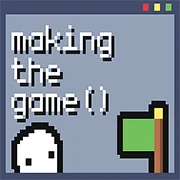
Making the Game

My Lil Bastard
Funny
5

Charlie The Steak 3D Online
Funny
5

Sketchy Individuals
Funny
4.5

Hobo 7: Heaven
Funny
5

A Date with Death 2
Funny
4.5

5 AM at Freddy’s: The Prequel
Funny
4.5

5 Minutes to Kill Yourself Reloaded
Funny
4.5
5 Minutes to Kill Yourself Airport Edition
Funny
4.5

A Date with Death
Funny
4.5

Hobo 6: HELL
Funny
4.5

Water Ragdoll 2
Funny
4.5

Sadmin Night – Anomalous Stickmin Survival
Funny
4.5
Funny
4.5
HTML5|Mouse / Keyboard|Browser
Making the Game is a funny little interactive game where you play as the developer of a video game where your goal is to create a masterpiece and try to have everyone in the world play it.
Made by @kindanicegames, in 48h for gmtk game jam 2023!
How to Play:
How to Play:
Control for PC:
Jump – up arrow, space or W.
Movement – left / right arrows or A / D.
Smartphone controls:
Corresponding buttons on the screen.
You might like
See all
Angry Gran Run Brazil
Funny
4.5

Doodieman Voodoo
Funny
4.5

Murder the King
Funny
4.5

When Goats Join Cults
Funny
4.5

School Flirting Game
Funny
4.5

Whack Your Computer
Funny
4.5

It’s Just TIC TAC TOE
Funny
4.5

Duck Life: Battle
Funny
4.5

Realistic Kissing Simulator
Funny
4.5
Toaster Ball
Funny
4.5

Hobo Brawl
Funny
4.5

DEEEER Simulator
Funny
4.5

Short Life
Funny
4.5

Cat with Bow Golf
Funny
4.5

Cat Simulator: Kitty Craft
Funny
4.5

Nyan Cat FLY
Funny
4.5

Interactive Buddy 2
Funny
4.5

T-Rex Game
Funny
4.5

Infiltrating the Airship
Funny
4.5

Learn to Fly 3
Funny
4.5