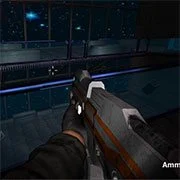
Portal Of Doom: Undead Rising

BuildNow GG
Shooting2026562

1v1 Battle
Shooting2026541

Baby Sniper In Vietnam
Shooting2026530

Stealth Sniper
Shooting2026512

War Heroes: France 1944
Shooting2026371

A Sniper’s Vengeance : The Story of Linh
Shooting2026360

10 Minutes Till Dawn
Shooting2026330

1941 Frozen Front Online
Shooting2026290

Hazmob FPS: Online Shooter
Shooting2026293

19XX: The War Against Destiny
Shooting2026290

1941: Counter Attack
Shooting2026280

13 Days After: Survival
Shooting2026280
Shooting
4.5
HTML5|Mouse / Keyboard|Browser
A sci-fi FPS horror shooter where you play as a private security contractor that received a distress call and decide to investigate. Explore the spooky corridor of the space station. FInd out what happened and shoot aliens and zombies that lurk in the shadow.
How to Play:
How to Play:WASD or arrow keys to walk around
Mouse to look around
Left mouse button to fire
Right mouse button to aim
Mouse wheel to change weapon
R to reload
F to pick up an item
Left shift to run
Left Ctrl to crouch
X to prone
V to melee
Space to jump
You might like
See all
2DOOM
Shooting2026240

13 Days in Hell
Shooting2026240

A Gun in Time
Shooting2026230

SkillWarz: Legacy Edition
Shooting2026200

Robokill
Shooting2026190

Madness Project Nexus
Shooting2026181

Binding of Isaac
Shooting2026160

A Zombie Survival game
Shooting2026150

Endless War 3
Shooting2026130

Cuphead Brothers in Arms
Shooting2026130

Resident Evil: Director’s Cut
Shooting2026120

Cannon Defense
Shooting2026121

Heli Attack 3
Shooting2026120

Gun Mayhem 3
Shooting2026110

Metal Slug 3
Shooting2026100

Metal Slug: Super Vehicle-001
Shooting2026101
Star Wars The Clone Wars Live Fire
Shooting2026100

TankCraft – War Tank Battles
Shooting2026100

Cross Fire: Call of Duty
Shooting202690
Space Huggers
Shooting202690