
PvZ (Plants vs Zombies) on MIT Scratch

Buckshot Roulette
Strategy2026904
Stick War
Strategy2026593
Battle Panic
Strategy2026591
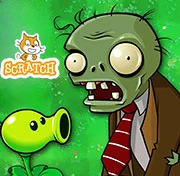
Plants vs Zombies 2 on MIT Scratch
Strategy2026540
1066 War
Strategy2026371

Madness Retaliation
Strategy2026361
Save The Pets
Strategy2026330
Zombie Trailer Park
Strategy2026230
A Lone Manor
Strategy2026210
3 Kings
Strategy2026210
Necronator 2
Strategy2026210
Dear Edmund
Strategy2026200
HTML5|Mouse / Keyboard|Browser
PvZ (Plants vs Zombies) is a fan-made recreation of the classic Plants vs Zombies game made using the free MIT Scratch game Engine.
This is a demo with 6 levels.
Will you be able to defense your front lawn from the zombies?
Credits:
@AwezomeXD: Made the game
@Flint-L for “point towards” script
@Xx_Yeet_Master_xX for LilyPad design (not added yet)
@minemaster552 for Zombie Trap and Flora Throwa (not added yet) plants
You can also play the game on Mit Scratch
MIT Scratch engine is cool, you can learn, create, and share your games and is completely free.
You might like
See all
Steal a Brainrot
Strategy2026190
Swarm Queen
Strategy2026160
Warfare 1917
Strategy2026160

Sweatshop
Strategy2026110
Colonial Wars
Strategy2026110
Mindustry
Strategy2026110
Epic War 4
Strategy2026110

War Clicks
Strategy2026100

Retromine
Strategy2026100

Frontline Defense 2
Strategy202690

Garden TD
Strategy202690
Egg Riot
Strategy202690

Spectromancer Truth and Beauty
Strategy202680

Death Defense of Metal Slug
Strategy202680

Toys vs Nightmares
Strategy202680
Raid Mission
Strategy202680

Loot Heroes: Clicker
Strategy202670
DUO/UNO With Friend Online
Strategy202660

Stalingrad 2
Strategy202660

Nick Block Party 2
Strategy202660