
Ray Part 3 Introduction
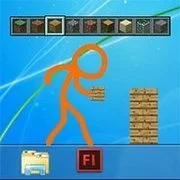
Animation vs Minecraft
Animation
4.5

Animator VS Animation 2
Animation
4.5

Madness Manufacory
Animation
4.5

Madness Combat V
Animation
4.5

Drunken Stick
Animation
4.5

DE dust
Animation
4.5

Whack Your Boss 2 Fantasy Edition
Animation
4.5

Shock 2
Animation
4.5

Project Retribution
Animation
4.5

Can I play with maddness
Animation
4.5

World War 3
Animation
4.5

Madness Inundation
Animation
4.5
Animation
4.5
HTML5|Mouse / Keyboard|Browser
This is a mere introduction to Ray Part 3. This is a preview animation to understand what happened after and before Ray Part 2.
How to Play:
How to Play:ALWAYS TURN ON SOUND WHEN WATCHING ANIMATIONs
You might like
See all
Bakugan: Battle Brawlers
Emulator
4.5

Super Metroid
Emulator
4.5

Game & Watch Gallery 3
Emulator
4.5

Mario & Luigi RPG 3
Emulator
2.5

Rayman
Emulator
4.5

Pokemon Black Version
Emulator
4.5

Pokemon Ruby Destiny - Life of Guardians
Emulator
4.5

Spider-Man 2
Emulator
2.5
Pitfall: The Mayan Adventure
Emulator
4.5
LEGO Harry Potter Years 5-7
Emulator
4.5
Indiana Jones And The Infernal Machine
Emulator
4.5

Friday the 13th
Emulator
4.5

Conker's Bad Fur Day
Emulator
4.5
Mario Kart 64
Emulator
4.5
Yoshi's Island: Super Mario Advance 3
Emulator
4.5
Pac-Mania
Emulator
4.5

Yu-Gi-Oh! – 7 Trials to Glory
Emulator
4.5
Pokemon Pinball - Ruby & Sapphire
Emulator
4.5
Professor Layton and the Diabolical Box
Emulator
4.5
Cadillacs And Dinosaurs
Emulator
4.5