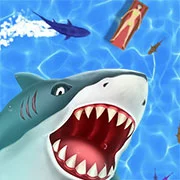
Shark.io

Solar Smash
Arcade
2.8

Bus Master Parking 3D
Arcade
4.5

Subway Surfers: Seoul
Arcade
5
Geometry Dash World
Arcade
5

Rolling Sky
Arcade
4.5
Count Masters: Stickman Games
Arcade
4.5
Block Eating Simulator
Arcade
5
A Very Hard Game
Arcade
4.5
MY TINY MARKET
Arcade
4.5

Sky Rolling ball
Arcade
4.5
Little Runmo but Playable
Arcade
4.5

Pizza Boy
Arcade
5
Arcade
4.5
HTML5|Mouse / Keyboard|Browser
Dive into the splashy fun of Shark.io, where it’s all about survival in the big ocean! Become a hungry shark and compete to be the boss of the sea. Munch on food to get bigger, but be careful – there are even larger sharks swimming around! The game is quick, and it only takes a few seconds to win or lose. Eating fish (and maybe a few people) gives you points. Smaller sharks are faster, so if you’re new, you’ve got an advantage. Keep swimming and fighting to grow into the biggest fish in the ocean! Press the mouse button to dash and point your mouse to steer the shark.
You might like
See all
Don’t Get Spiked
Arcade
4.5
Man or Monster
Arcade
4.5
Combo Pool
Arcade
4.5

Idle Hacker
Arcade
4.5
Horizon Dash
Arcade
4.5

Tasty Planet
Arcade
4.5
Celest Editor
Arcade
4.5

Foodie Dragon
Arcade
4.5
Flip Runner
Arcade
4.5

Fireball: White Rush
Arcade
4.5

Cyber Rider Turbo
Arcade
4.5
Fire and Water Geometry Dash
Arcade
4.5

Whack A Craft
Arcade
4.5
Temple of Boom
Arcade
4.5

Rodha
Arcade
4.5

Feed Us 4
Arcade
4.5

Run 3
Arcade
4.5

Crazy Car Parking
Arcade
4.5

Neo Bomberman
Arcade
4.5

Despicable Me 2: Minion Rush
Arcade
4.5