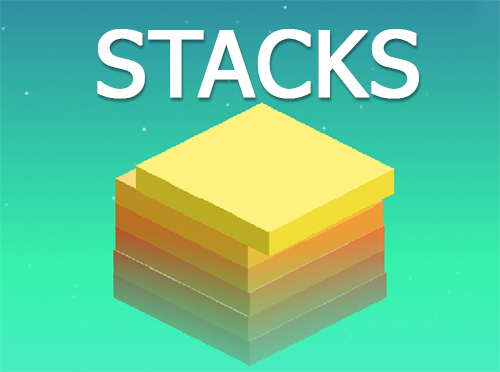
Stacks

Grand Theft Auto: Vice City

Bleach vs Naruto 3.3

Terraria

Happy Wheels

RocketGoal.io

Stick War 2

Bloxd.io

PolyTrack

100 Doors Games: Escape from School

Crazy Cattle 3D
Sprunki Sandbox: Ragdoll Playground Mode

Lucky Tower 2
Stacks is a captivating and visually appealing puzzle game that challenges players to stack blocks with precision and strategy. The game's design is simple yet addictive, perfect for quick sessions or extended playtimes. Its straightforward mechanics are easy to grasp but hard to master, making it suitable for all ages.
How to play Stacks?
In Stacks, your goal is to stack blocks as high as possible. Blocks move horizontally across the screen, and you must click or tap to drop them onto the stack below. The game tests your timing and precision - if the block is not aligned perfectly with the stack, the overhanging part gets chopped off, and the size of the next block decreases accordingly. The challenge increases as your stack gets taller and the blocks move faster. The game ends when there's no more room to place a new block.
What are the controls for Stacks?
- Left Mouse Button or Spacebar: Drop the block
- Touchscreen Tap (on mobile devices): Drop the block
Features
- Simple yet addictive gameplay
- Increasing difficulty as the game progresses
- Leaderboard to compete against your friends and other people
- Visually pleasing graphics and smooth animations
- Engages skills like timing and precision
You might like
See all
3 Foot Ninja 2

Gun Simulator

Deer Adventure

Critical Strike: Global Ops

Granny 2

BumpyBall.io

Schoolbreak.io

Lurkers.io


Venge.io

Escape Road City 2

Dude Theft Auto

Madalin Stunt Cars 2

Devast.io

Brutal.io

Kour.io

Deadswitch 3
Rebuild 2

Mini Royale: Nations
Color Rush