Advance Guardian Heroes

Geometry Dash Lite
Html520263624

Sonic the Hedgehog 3
Html520262221

Sonic 3 Prototype
Html52026851

Kiwi Clicker
Html520267193

2v2.io
Html52026701

Incredibox Yellow Colorbox
Html520266816

ParaSprunki 15 – Sprunki Parasite
Html52026582

Mortal Kombat CX: Streets of Rage 2
Html52026550

Sonic 3 Complete – Emerald Safari
Html52026530

Terra – A Terraria Demake
Html52026532

Fix-It Felix Jr.
Html52026460

Sonic CD
Html52026450
Html5
4.5
HTML5|Mouse / Keyboard|Browser
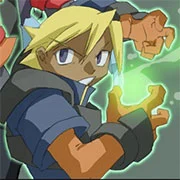
“Advance Guardian Heroes” is a beat ’em up video game developed by Treasure and published by Ubisoft for the Game Boy Advance handheld console. Released in 2004, it serves as a sequel to the Sega Saturn game “Guardian Heroes” and features similar gameplay mechanics with enhancements tailored for the portable platform.
In “Advance Guardian Heroes,” players assume the roles of various heroes as they battle through hordes of enemies and bosses across side-scrolling levels. The game offers a diverse roster of characters, each with their own unique abilities and fighting styles, allowing players to experiment and find their preferred playstyle.
Critics and fans praised “Advance Guardian Heroes” for its engaging gameplay, responsive controls, and vibrant visuals. The game features fast-paced action, combo-based combat, and an array of special moves and techniques to master. Additionally, “Advance Guardian Heroes” introduces new features such as branching story paths, multiple endings, and a versus mode for multiplayer battles, adding replay value and longevity to the overall experience.
With its blend of nostalgia and innovation, “Advance Guardian Heroes” remains a beloved title among fans of the beat ’em up genre, offering a satisfyingly deep and action-packed experience on the Game Boy Advance platform.
How to Play:
How to Play:Click inside of the game to START. This game uses only the keyboard. Click on the icon menu on the bottom of the game to see the controls or change it to fit you. If you don’t finish, you can save the game code to your computer and load the save code when you come back. Only 1-player mode is operational.
Default Control:
Z/X/A/S/ENTER/Backspace
You might like
See all
Sonic 1 KawariNo
Html52026450

Sonic 1 – Emerald Safari
Html52026430

Granny Original
Html52026382

Billiards Master
Html52026350

Need for Speed: Most Wanted
Html52026320

10×10
Html52026300

Azure Colorbox
Html52026300

Mario Adventure 3
Html52026290

1942 Game (NES)
Html52026290

Kirby Nightmare in Dream Land
Html52026280

Sonic The Hedgehog 2
Html52026281

1212!
Html52026280

100 Meter Race
Html52026270

2048 Solitaire
Html52026260

3 Pandas 2: Night
Html52026250

3D Acrylic Nail: Nail Art Game
Html52026250

60 Minutes Til Rot
Html52026240

7 Words
Html52026240

FNF Character Test Playground
Html52026240

3 Ninjas Kick Back (SNES)
Html52026230