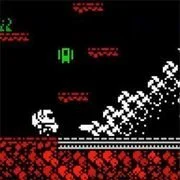
Astrobots
The King of Fighters 97
Retro202627738

The King of Fighters 98
Retro2026793
Sonic and Knuckles (Sega)
Retro2026610

The King of Fighters 2002
Retro2026591
2-Bit Explorer
Retro2026470
21st Century Roguelike Pac-Man
Retro2026230
Knights of the Round (Arcade)
Retro2026230
Nip For Speed
Retro2026230
1Quest
Retro2026210
The King of Fighters 2000
Retro2026210
Driver (PS1)
Retro2026160
Sonic 1 Mixed Beta
Retro2026140
Retro
4.5
HTML5|Mouse / Keyboard|Browser
The space marine should find his friends in the deep of a dangerous asteroid.
You can use the slow motion ability for accurate shots and quick weapon switch. Each weapon is more effective for certain enemy types and less effective for others.
How to Play:
How to Play:LEFT & RIGHT ARROWS – Run
UP ARROW – Jump
C – Fire
X – Slow mode
Z, V or 1..7 – Switch weapon
I – Information
P or ESCAPE – Pause
M – Mute sounds
R – Restart level (when paused)
K – Define keys (when paused)
PLUS & MINUS – Volume
You can double jump when you have it.
When you pick a jetpack, press jump 3 times to fly.
You might like
See all
Cadillacs and Dinosaurs Flash
Retro2026140

SNK vs. Capcom: SVC Chaos Super Plus
Retro2026140

The Grape Escape
Retro2026130

Sonic 3000
Retro2026130
Final Fight (Arcade)
Retro2026120
Leaf Me Alone Expanded
Retro2026120
Bionic Chainsaw Pogo Gorilla
Retro2026100

Sonic the Hedgehog: Megadriven
Retro2026100

Silent Hills
Retro2026100
Need for Speed: V-Rally
Retro202690
Lightning Swords / Ken-Go (Arcade)
Retro202690
Double Dragon (Arcade)
Retro202690

The King of Fighters 2001
Retro202680
Godzilla (Arcade)
Retro202680
Must-a-Mine
Retro202680

Abobo Big Adventure
Retro202680
Battle Circuit
Retro202680
Legends of Necrodungeons
Retro202680
Sonic 1 Blastless
Retro202680
Batman (Arcade)
Retro202670