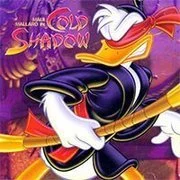
Donald Duck Cold Shadow

Geometry Dash Lite
Html520263624

Sonic the Hedgehog 3
Html520262221

Sonic 3 Prototype
Html52026851

Kiwi Clicker
Html520267193

2v2.io
Html52026701

Incredibox Yellow Colorbox
Html520266816

ParaSprunki 15 – Sprunki Parasite
Html52026582

Mortal Kombat CX: Streets of Rage 2
Html52026550

Sonic 3 Complete – Emerald Safari
Html52026530

Terra – A Terraria Demake
Html52026532

Fix-It Felix Jr.
Html52026460

Sonic CD
Html52026450
Html5
4.5
HTML5|Mouse / Keyboard|Browser
Donald Duck takes the starring role in this sidescrolling platform game. Also known as Maui Mallard in Cold Shadow.
Take the role of detective Maui Mallard, he’s on the trail of a long lost Idol, which has recently vanished. Early on, Maui can also switch between his normal self and Ninja Maui, and with all the creepy voodoo enemies he’ll encounter throughout his adventure, he’s going to need all the help he can get. As previously mentioned, there are two personalities to Maui, and as a result, two different sets of controls. Normal Maui carries a bug gun, which can fire a variety of different insect ammo, from basic bugs, to the more powerful lightning and fire bugs. It’s also possible for Maui to combine bugs to pack a more powerful blast at his enemies. Once Maui starts to find Yin-Yang coins, he’ll be able to transform into Ninja Maui. Ninja Maui has lightning-quick reflexes, and wields a bo staff. In addition to being handy for whacking enemies, Ninja Maui can also climb between walls by jumping and propping the staff between the walls at the height of his jump. He can also hook onto duck heads and swing from them to reach areas he normally couldn’t. You’ll need to constantly find Yin-Yang coins to fuel your Ninja persona, otherwise you’ll run out and transform back to Maui Mallard.
You might like
See all
Sonic 1 KawariNo
Html52026450

Sonic 1 – Emerald Safari
Html52026430

Granny Original
Html52026382

Billiards Master
Html52026350

Need for Speed: Most Wanted
Html52026320

10×10
Html52026300

Azure Colorbox
Html52026300

Mario Adventure 3
Html52026290

1942 Game (NES)
Html52026290

Kirby Nightmare in Dream Land
Html52026280

Sonic The Hedgehog 2
Html52026281

1212!
Html52026280

100 Meter Race
Html52026270

2048 Solitaire
Html52026260

3 Pandas 2: Night
Html52026250

3D Acrylic Nail: Nail Art Game
Html52026250

60 Minutes Til Rot
Html52026240

7 Words
Html52026240

FNF Character Test Playground
Html52026240

3 Ninjas Kick Back (SNES)
Html52026230