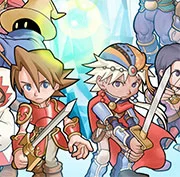
Final Fantasy I & II: Dawn of Souls


Geometry Dash Lite
Html5
5

Sonic the Hedgehog 3
Html5
5

Friday Night Funkin’: Foned In (FNF Mobile)
Html5
2.6

Sonic 3 Prototype
Html5
5

Kiwi Clicker
Html5
2.5

Incredibox Yellow Colorbox
Html5
2.6

2v2.io
Html5
5

Sonic 3 Complete – Emerald Safari
Html5
4.5

Sonic CD
Html5
4.5

Sonic 1 KawariNo
Html5
4.5

Sonic 1 – Emerald Safari
Html5
4.5

Fix-It Felix Jr.
Html5
4.5
Html5
4.5
HTML5|Mouse / Keyboard|Browser
“Final Fantasy I & II: Dawn of Souls” is a compilation role-playing video game developed and published by Square Enix for the Game Boy Advance in 2004. It includes enhanced remakes of the first two games in the iconic Final Fantasy series, originally released for the NES. The compilation features updated graphics, sound, and gameplay mechanics, making it accessible to both new players and fans of the original games.
In “Dawn of Souls,” players embark on epic journeys across fantasy worlds as they control a party of heroes, each with their own unique abilities and classes. The first game follows the Warriors of Light as they embark on a quest to restore the four elemental crystals and save the world from darkness. The second game introduces a new cast of characters and a revamped leveling system, where characters improve their abilities based on their actions in battle.
How to Play:
How to Play:Push ENTER on your keyboard to Start.
Use only the keyboard to play. Hover your mouse over the game, which will display a lot of icons. Click on the “keyboard” icon to view default controllers settings that correspond to your keyboard keys. For example, A = Z, mean ‘A’ button on controller is equal to Z key on your keyboard. You can also change controller button to your specification.
Default Keyboard Keys: Z / X / A / S / Arrows / Enter / Backspace
Figure out what which key does. Some do nothing.
Save progress by hovering your mouse over the game, which will display a lot of icons at the bottom of the game, click the “Down Arrow Icon” to save and come back later and load it up by clicking the “Up Arrow Icon”.
You might like
See all
Billiards Master
Html5
4.5

Granny Original
Html5
5

Terra – A Terraria Demake
Html5
4.5

10×10
Html5
4.5

Mario Adventure 3
Html5
4.5

Sonic The Hedgehog 2
Html5
5

Kirby Nightmare in Dream Land
Html5
4.5

1212!
Html5
4.5

2048 Solitaire
Html5
4.5

100 Meter Race
Html5
4.5

1942 Game (NES)
Html5
4.5

3 Pandas 2: Night
Html5
4.5

3D Acrylic Nail: Nail Art Game
Html5
4.5

Need for Speed: Most Wanted
Html5
4.5

3 Ninjas Kick Back (SNES)
Html5
4.5

ParaSprunki 15 – Sprunki Parasite
Html5
4.5

60 Minutes Til Rot
Html5
4.5

FNF: Plant vs Zombie (PvZ)
Html5
4.5

7 Words
Html5
4.5

Slope Rider
Html5
5