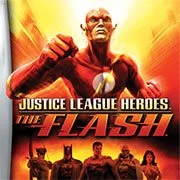
Justice League Heroes: The Flash


Geometry Dash Lite
Html5
5

Sonic the Hedgehog 3
Html5
5

Friday Night Funkin’: Foned In (FNF Mobile)
Html5
2.6

Sonic 3 Prototype
Html5
5

Kiwi Clicker
Html5
2.5

Incredibox Yellow Colorbox
Html5
2.6

2v2.io
Html5
5

Sonic 3 Complete – Emerald Safari
Html5
4.5

Sonic CD
Html5
4.5

Sonic 1 KawariNo
Html5
4.5

Sonic 1 – Emerald Safari
Html5
4.5

Fix-It Felix Jr.
Html5
4.5
Html5
4.5
HTML5|Mouse / Keyboard|Browser
Step into the super-fast shoes of the Flash in “Justice League Heroes – The Flash,” a dynamic 2006 action platformer designed for the Game Boy Advance. This game transports you back to Flash’s hometown, Keystone City, where you must uncover and eliminate the source of a mysterious robot invasion.
As a side-story to the main “Justice League Heroes” game on the PlayStation 2 and Xbox, this title focuses exclusively on the Flash, allowing players to experience his incredible speed and agility. Navigate through side-scrolling levels, battling waves of robots and other enemies that threaten the city. When the going gets tough, you can call on other Justice League members for assistance in crucial moments.
Enjoy a fast-paced, action-packed adventure as you dash to save Keystone City and prove yourself as the quickest man in the world in “Justice League Heroes – The Flash” on the GBA. Have fun and embrace the speed!
You might like
See all
Billiards Master
Html5
4.5

Granny Original
Html5
5

Terra – A Terraria Demake
Html5
4.5

10×10
Html5
4.5

Mario Adventure 3
Html5
4.5

Sonic The Hedgehog 2
Html5
5

Kirby Nightmare in Dream Land
Html5
4.5

1212!
Html5
4.5

2048 Solitaire
Html5
4.5

100 Meter Race
Html5
4.5

1942 Game (NES)
Html5
4.5

3 Pandas 2: Night
Html5
4.5

3D Acrylic Nail: Nail Art Game
Html5
4.5

Need for Speed: Most Wanted
Html5
4.5

3 Ninjas Kick Back (SNES)
Html5
4.5

ParaSprunki 15 – Sprunki Parasite
Html5
4.5

60 Minutes Til Rot
Html5
4.5

FNF: Plant vs Zombie (PvZ)
Html5
4.5

7 Words
Html5
4.5

Slope Rider
Html5
5