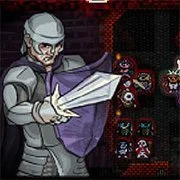
MARDEK RPG Chapter 3




Rpg
4.5
HTML5|Mouse / Keyboard|Browser
An homage to and affectionate light parody of retro RPGs, but a full, deep game in itself, with many hours of gameplay.
How to Play:
How to Play:Please see the in-game HELP section and the screen at the start.
– X to confirm.
– Z to cancel.
– Arrow keys for movement.
– ENTER opens the menu.
– Hold S while clicking an item stack to split it.
You might like
See all
Paladog
Rpg
4.5

Duck Life Adventure
Rpg
4.5
Mardek RPG: Chapter 1
Rpg
4.5

Cardinal Quest
Rpg
4.5
Castaway
Rpg
4.5

Monster Arena
Rpg
4.5

Hex Empire
Rpg
4.5
Idle Sword 2
Rpg
4.5
Swords & Souls
Rpg
4.5
Undergarf – Bad Monday Simulator
Rpg
4.5
Monster Frontier
Rpg
4.5
Rogue Fable 3
Rpg
4.5

DELTARUNE: A Different Snowgrave
Rpg
4.5

Goodgame Empire
Rpg
4.5
Night At The Colosseum
Rpg
4.5
Card Hunter
Rpg
4.5

Danger Dungeon
Rpg
4.5
Swords and Sandals 2
Rpg
4.5
Realm of the Mad God
Rpg
4.5
Enchanted Heroes
Rpg
4.5