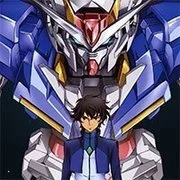
Mobile Suit Gundam Seed: Battle Assault

Geometry Dash Lite
Html520263624

Sonic the Hedgehog 3
Html520262221

Sonic 3 Prototype
Html52026851

Kiwi Clicker
Html520267193

2v2.io
Html52026701

Incredibox Yellow Colorbox
Html520266816

ParaSprunki 15 – Sprunki Parasite
Html52026582

Mortal Kombat CX: Streets of Rage 2
Html52026550

Sonic 3 Complete – Emerald Safari
Html52026530

Terra – A Terraria Demake
Html52026532

Fix-It Felix Jr.
Html52026460

Sonic CD
Html52026450
Html5
4.5
HTML5|Mouse / Keyboard|Browser
Mobile Suit Gundam SEED” was developed for the Game Boy Advance and released in 2004, the game blends fast-paced combat with elements of strategy, allowing players to engage in thrilling battles using a variety of mobile suits from the Gundam universe. The website explores various facets of the game, including its gameplay mechanics, playable characters, and storyline.
In “Mobile Suit Gundam SEED: Battle Assault,” players take on the role of pilots controlling powerful mobile suits, each equipped with unique weapons and abilities. The game offers both single-player modes, such as story mode and arcade mode, as well as multiplayer options for head-to-head battles against friends. Through the website, fans can discover details about the game’s diverse roster of playable characters, spanning iconic figures from the “Gundam SEED” series, each with their own strengths and special moves.
How to Play:
How to Play:Click on the “keyboard” icon at the bottom of game to see default controllers that correspond to your keyboard. You can also change controller button to your specification.
Block
-hold back from your opponent
Jump
-hit up on the control pad
Projectile
-hit A; refered to as your Long-Range Attack hereafter
Punch / Kick
-hit B; refered to as your Short-Range Attack hereafter
The differences with other fighters is present through the use of the L and R
buttons. These two buttons activate special states that your fighter can use. An
explanation of these states is presented now:
Berserk
-pressing down plus the L button will put your fighter in Berserk mode; while in
Berserk mode your fighter will lose FS Armor, but will deal more damage
with each attack; you must be in Berserk mode to use a fighter’s
Ultimate Attack (explained in each fighter’s move list)
Thruster
-pressing the R button will allow your fighter to activate their thrusters,
sending them skyward; the gauge at the bottom shows how much thruster
power a fighter currently possess
Individual special moves for the fighters can be found in the move list
sections of this Guide Manual.
You might like
See all
Sonic 1 KawariNo
Html52026450

Sonic 1 – Emerald Safari
Html52026430

Granny Original
Html52026382

Billiards Master
Html52026350

Need for Speed: Most Wanted
Html52026320

10×10
Html52026300

Azure Colorbox
Html52026300

Mario Adventure 3
Html52026290

1942 Game (NES)
Html52026290

Kirby Nightmare in Dream Land
Html52026280

Sonic The Hedgehog 2
Html52026281

1212!
Html52026280

100 Meter Race
Html52026270

2048 Solitaire
Html52026260

3 Pandas 2: Night
Html52026250

3D Acrylic Nail: Nail Art Game
Html52026250

60 Minutes Til Rot
Html52026240

7 Words
Html52026240

FNF Character Test Playground
Html52026240

3 Ninjas Kick Back (SNES)
Html52026230