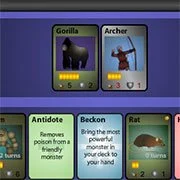
Monster Master



Rpg
4.5
HTML5|Mouse / Keyboard|Browser
Awesome RPG card game
How to Play:
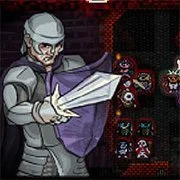
How to Play:At the start of a match you will be dealt five cards from your deck to your hand, and one more at the beginning of each turn. You will not be able to see your opponents cards. Monsters must be summoned before they can attack. To do this, use YOUR MOUSE to drag the monster from your hand to the monster area. You may only begin to summon one monster each turn. To attack with a monster, drag it onto an enemy monster. This will bring up a battle screen. There are also magic cards that will help you in your battle. I strongly recommend you to read in-game instructions to learn everything about cards and gameplay. Good luck!
You might like
See all
Mardek RPG: Chapter 1
Rpg202640

DELTARUNE: A Different Snowgrave
Rpg202640

Danger Dungeon
Rpg202640
Cardinal Quest
Rpg202640

Hex Empire
Rpg202640
Realm of the Mad God
Rpg202640
Monster Arena
Rpg202640
Swords & Souls
Rpg202640
Castaway
Rpg202640

Duck Life Adventure
Rpg202640
Undergarf – Bad Monday Simulator
Rpg202630
Card Hunter
Rpg202630
Rogue Fable 3
Rpg202630
Monster Frontier
Rpg202630
Goodgame Empire
Rpg202630
Night At The Colosseum
Rpg202630
Sports Heads Cards: Soccer Squad Swap
Rpg202630
Swords and Sandals 2
Rpg202630

StrikeForce Kitty League
Rpg202630
Last Castle
Rpg202630