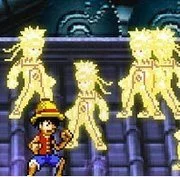
Naruto Vs Luffy
Ultraman VS Alien Zombies
Cartoon
4.5
Ben 10 Savage Pursuit
Cartoon
4.5

Bart Simpson Saw Game
Cartoon
4.5
Regular Show: Fist Punch 2
Cartoon
4.5
Avatar Fortress Fight 2
Cartoon
4.5
TMNT Vs Power Rangers 2
Cartoon
4.5
Danger Mouse Ultimate
Cartoon
4.5

Snow Brawl Fight 2
Cartoon
4.5
Wishology Trilogy Chapter 1
Cartoon
4.5
Cartoon Cove Mini Golf
Cartoon
4.5

Chronopolis: Ben 10 Omniverse
Cartoon
4.5

Gumball Disc Duel
Cartoon
4.5
Cartoon
4.5
HTML5|Mouse / Keyboard|Browser
Play as Naruto or Luffy, they are both powerful fighters, but who is stronger? Now select a role and find it out! Vs mode to play 2 players.
How to Play:
How to Play:Player 1: WASD to move, J to attack, K to dodge, LUIO to use skill.
Player 2: Arrows key to move, 4 to attack, 5 to dodge, 6789 to use skill.
You might like
See all
Toon Cup
Cartoon
4.5

Remote Fu Gumball
Cartoon
4.5

Bikini Bottom Brawlers: SpongeBob SquarePants
Cartoon
4.5
Ben 10: Galactic Challenge
Cartoon
4.5

Scooby-Doo: Ruff Rescue
Cartoon
4.5

Cartoon Hero
Cartoon
4.5
Spongebob Pro Sk8r
Cartoon
4.5
Omnitrix Unleashed Ben 10
Cartoon
4.5
Boat O Cross 2
Cartoon
4.5

Ben 10: Upgrade Chasers
Cartoon
4.5
Teen Titans: Housebroken Hero
Cartoon
4.5
Ruckus Room
Cartoon
4.5
Ben 10: Alien Device
Cartoon
4.5
Teen Titans Go: Channel Crashers
Cartoon
4.5
Reckless Road Trip | Uncle Grandpa
Cartoon
4.5
Gumball: Block Party
Cartoon
4.5
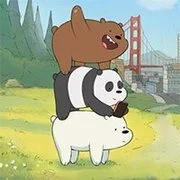
We Bare Bears: Free Fur All
Cartoon
4.5

Classic Tron
Cartoon
4.5
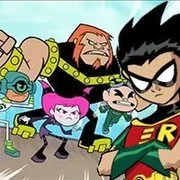
Teen Titans: HIVE 5
Cartoon
4.5

Hero Choice
Cartoon
4.5