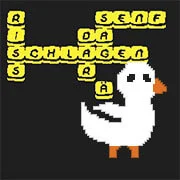
Obgoose – Word Game
3 Pandas Fantasy
Educational
4.5
20 Words in 20 Seconds
Educational
4.5

Lung Surgery
Educational
4.5

Code Fred: Survival Mode
Educational
4.5
Odd Bot Out
Educational
4.5
Light Bot
Educational
4.5
Gravity Simulator
Educational
4.5

Midnight Cinema
Educational
4.5
The Chef’s Shift
Educational
4.5
Sprite Box
Educational
4.5

Cell to Singularity: Evolution
Educational
4.5
Bloxorz
Educational
4.5
Educational
4.5
HTML5|Mouse / Keyboard|Browser
Obgoose is a unique online word game that offers a single-player, non-competitive experience reminiscent of Scrabble. In this game, players control a goose that pushes around blocks of letters to form words. Unlike traditional word games, Obgoose allows you to play alone, eliminating the pressure of competition.Players create words by arranging letter blocks, similar to how tiles are used in Scrabble.
Be a goose. Be smart.
Credits:
Make sure to support the game on their social media by subscribing, following, liking, etc.
Idea, art and programming by dunkelgrau
Music: azix
Sound: CC0 assets from https://opengameart.org/
Fonts: DigitalDisco (https://www.dafont.com/digital-disco.font)
How to Play:
How to Play:Arrows and Mouse, CTRL + Z for undo.
Play the tutorial inside of the game if you need help.
You might like
See all
PolyPine: Nature Simulator
Educational
4.5
Operate Now: Scoliosis Surgery
Educational
4.5

Planetarium 2
Educational
4.5
Chess Master 3D
Educational
4.5
Poly Bridge Free Online
Educational
4.5
Baldi’s Fun New School Remastered
Educational
4.5
Frog Fractions
Educational
4.5
Keyboard Breaker
Educational
4.5
Mario Maker (MIT Scratch)
Educational
4.5
Bloxorz: Roll the Block
Educational
4.5
BiDomi
Educational
4.5
Alpha Attack
Educational
4.5
Car Drawing Game
Educational
4.5
Scrabble Blast
Educational
4.5
Bad Piggies 2018
Educational
4.5
The World’s Easyest Game
Educational
4.5

LODGE: Seaside Escape
Educational
4.5
Static Cling
Educational
4.5
Typewriter Simulator
Educational
4.5

Evolution AI Simulation
Educational
4.5