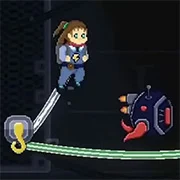
Plug In
The King of Fighters 97
Retro202627738

The King of Fighters 98
Retro2026793

Sonic and Knuckles (Sega)
Retro2026610

The King of Fighters 2002
Retro2026591
2-Bit Explorer
Retro2026470
Nip For Speed
Retro2026230

21st Century Roguelike Pac-Man
Retro2026230
Knights of the Round (Arcade)
Retro2026230
1Quest
Retro2026210
The King of Fighters 2000
Retro2026210

Sonic 3000
Retro2026200
Driver (PS1)
Retro2026160
Retro
4.5
HTML5|Mouse / Keyboard|Browser
A 2D puzzle-platformer where the player is attached to a power cable, and must maneuver the way through the environment while keeping your cable safe.
Features:
Simulated rope physics puzzles and more.
3 unique levels with different mechanics
30-40 minute gameplay
Credits
This game was made as a final project for the course “Technique d’Intégration Multimédia” at “Collège de Bois-de-Boulogne”
Made by :
Nicolas Nguyen – Game designer
Mathieu Vezina – Game programmer
Emilia Lora Cobo – Art director
Antoine Paquette – Level designer
Maria Linares – Music composer
Felix Perrault – Sound designer
Cynthia-Eve Giroux – UX/UI designer
How to Play:
How to Play:
WASD keys or Left Joystick : Movement
Spacebar or A button : Jump
E or X button : Interact
R or Y button : Restart to last checkpoint
You might like
See all
Cadillacs and Dinosaurs Flash
Retro2026140
Sonic 1 Mixed Beta
Retro2026140

SNK vs. Capcom: SVC Chaos Super Plus
Retro2026140

The Grape Escape
Retro2026130
Final Fight (Arcade)
Retro2026120
Leaf Me Alone Expanded
Retro2026120
Bionic Chainsaw Pogo Gorilla
Retro2026100
Silent Hills
Retro2026100

Sonic the Hedgehog: Megadriven
Retro2026100
Need for Speed: V-Rally
Retro202690
Lightning Swords / Ken-Go (Arcade)
Retro202690
Double Dragon (Arcade)
Retro202690

The King of Fighters 2001
Retro202680
Must-a-Mine
Retro202680
Godzilla (Arcade)
Retro202680
Battle Circuit
Retro202680
Legends of Necrodungeons
Retro202680
Sonic 1 Blastless
Retro202680

Abobo Big Adventure
Retro202680
Batman (Arcade)
Retro202670