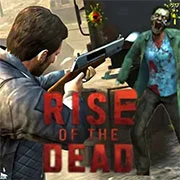
Rise of the Dead

Geometry Dash Lite
Html520263634

Sonic the Hedgehog 3
Html520262221

Sonic 3 Prototype
Html52026851

Kiwi Clicker
Html520267193

2v2.io
Html52026701

Incredibox Yellow Colorbox
Html520266816

ParaSprunki 15 – Sprunki Parasite
Html52026582

Mortal Kombat CX: Streets of Rage 2
Html52026550

Sonic 3 Complete – Emerald Safari
Html52026550

Terra – A Terraria Demake
Html52026532

Fix-It Felix Jr.
Html52026460

Sonic CD
Html52026450
Html5
4.5
HTML5|Mouse / Keyboard|Browser
Rise of the Dead is a zombie survival game where players fight through a ruined city overrun with the undead. The goal is to clear infected areas, protect survivors, and reclaim territory one section at a time. You can jump into the game instantly on kbhgames.com, where it runs directly in your browser for free without any installation.
Progress depends on more than just shooting zombies. Players need to manage resources carefully, upgrade weapons, and make smart choices with gear. Each character brings different abilities that can affect how you survive, so knowing when and how to use them is important. Stronger enemies, like mutated bosses, demand better planning and upgraded loadouts if you want to make it further.
Playing is straightforward: choose a character, set up your weapons, and move through the city while clearing out zombies and securing safe zones. Pay attention to supply drops and rare items along the way—they can make a big difference in tough battles. Working with the mechanics of the game and understanding the types of enemies you’re up against will give you the best chance of survival.
How to Play:
How to Play:
Keyboard Controls:
Movement: Arrow keys (W A S D)
Shoot: Left click
Reload: R
Punch: E
Change weapon: Q
Use prop 1: G
Use prop 2: F
Zoom: Scrollbar
Mobile Controls:
Movement: Virtual Joystick
Actions: Tap corresponding buttons
You might like
See all
Sonic 1 KawariNo
Html52026450

Sonic 1 – Emerald Safari
Html52026430

Granny Original
Html52026382

Billiards Master
Html52026350

Need for Speed: Most Wanted
Html52026320

10×10
Html52026300

Azure Colorbox
Html52026300

Mario Adventure 3
Html52026290

1942 Game (NES)
Html52026290

Kirby Nightmare in Dream Land
Html52026280

Sonic The Hedgehog 2
Html52026281

1212!
Html52026280

100 Meter Race
Html52026270

2048 Solitaire
Html52026260

3 Pandas 2: Night
Html52026250

3D Acrylic Nail: Nail Art Game
Html52026250

60 Minutes Til Rot
Html52026240

7 Words
Html52026240

FNF Character Test Playground
Html52026240

3 Ninjas Kick Back (SNES)
Html52026230