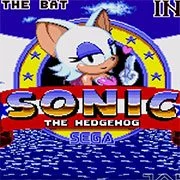
Rouge the Bat in Sonic 1


Geometry Dash Lite
Html5
5

Sonic the Hedgehog 3
Html5
5

Friday Night Funkin’: Foned In (FNF Mobile)
Html5
2.6

Sonic 3 Prototype
Html5
5

Kiwi Clicker
Html5
2.5

Incredibox Yellow Colorbox
Html5
2.6

2v2.io
Html5
5

Sonic 3 Complete – Emerald Safari
Html5
4.5

Sonic CD
Html5
4.5

Sonic 1 KawariNo
Html5
4.5

Sonic 1 – Emerald Safari
Html5
4.5

Fix-It Felix Jr.
Html5
4.5
Html5
4.5
HTML5|Mouse / Keyboard|Browser
It took her time, but the most well-known treasure hunter who debuted in Sonic Adventure 2 finally landed on the classic 2D territory!
This hack was mostly done primarily on the spriting/artistic side, although there’s a few noticeable changes and details aside of giving her Knuckles’ gliding and climbing moves, in order to bring a more enjoyable experience! (ex. now you can climb on almost every wall in every stage!)
I hope you all enjoy it!
Controls: These are in-game keys. Check the keyboard mapping below.
A/B/C: Jump
Down + A/B/C: Spin Dash
Jump + A/B/C: Gliding
Wall + Up/Down: Climbing
(Only in midair) A/B/C: Forced Rolling
(Only in midair or climbing) Down + A/B/C: Drill Drive
Credits:
E-122-Psi: Coding and feedback (Wouldn’t make it without him!)
Zig Sonar: Original Rouge sprites
FireRat: Coding/Fixing Support
Aier: Betatesting
Mercury: Demo recording tool
You might like
See all
Billiards Master
Html5
4.5

Granny Original
Html5
5

Terra – A Terraria Demake
Html5
4.5

10×10
Html5
4.5

Mario Adventure 3
Html5
4.5

Sonic The Hedgehog 2
Html5
5

Kirby Nightmare in Dream Land
Html5
4.5

1212!
Html5
4.5

2048 Solitaire
Html5
4.5

100 Meter Race
Html5
4.5

1942 Game (NES)
Html5
4.5

3 Pandas 2: Night
Html5
4.5

3D Acrylic Nail: Nail Art Game
Html5
4.5

Need for Speed: Most Wanted
Html5
4.5

3 Ninjas Kick Back (SNES)
Html5
4.5

ParaSprunki 15 – Sprunki Parasite
Html5
4.5

60 Minutes Til Rot
Html5
4.5

FNF: Plant vs Zombie (PvZ)
Html5
4.5

7 Words
Html5
4.5

Slope Rider
Html5
5