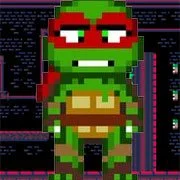
Shelled Shinobi


Geometry Dash Lite
Html5
5

Sonic the Hedgehog 3
Html5
5

Friday Night Funkin’: Foned In (FNF Mobile)
Html5
2.6

Sonic 3 Prototype
Html5
5

Kiwi Clicker
Html5
2.5

Incredibox Yellow Colorbox
Html5
2.6

2v2.io
Html5
5

Sonic 3 Complete – Emerald Safari
Html5
4.5

Sonic CD
Html5
4.5

Sonic 1 KawariNo
Html5
4.5

Sonic 1 – Emerald Safari
Html5
4.5

Fix-It Felix Jr.
Html5
4.5
Html5
4.5
HTML5|Mouse / Keyboard|Browser
Slide and bounce around in your shell at high speed, switching to the running mode for precise jumps and quick turns.
Credits:
Game by magu aka noppa. https://twitter.com/magu_dev
Music from PICO-8 Tunes Vol. 1 (https://www.lexaloffle.com/bbs/?tid=29008) (CC-BY-SA-3.0) and Vol. 2 (https://www.lexaloffle.com/bbs/?tid=33675) (CC-BY-NC-SA 4.0), by Gruber (remixed by magu).
You can download and support the game at: https://noppa.itch.io/shelled-shinobi/purchase
How to Play:
How to Play:Move: Left, Right arrow keys / Left joystick.
Jump*: Z or C / (O) (PICO-8) or (A) (Xbox controller).
Shell*: X or V / (X) (PICO-8 / Xbox controller).
Pause, Options: P or Enter / Back.
You might like
See all
Billiards Master
Html5
4.5

Granny Original
Html5
5

Terra – A Terraria Demake
Html5
4.5

10×10
Html5
4.5

Mario Adventure 3
Html5
4.5

Sonic The Hedgehog 2
Html5
5

Kirby Nightmare in Dream Land
Html5
4.5

1212!
Html5
4.5

2048 Solitaire
Html5
4.5

100 Meter Race
Html5
4.5

1942 Game (NES)
Html5
4.5

3 Pandas 2: Night
Html5
4.5

3D Acrylic Nail: Nail Art Game
Html5
4.5

Need for Speed: Most Wanted
Html5
4.5

3 Ninjas Kick Back (SNES)
Html5
4.5

ParaSprunki 15 – Sprunki Parasite
Html5
4.5

60 Minutes Til Rot
Html5
4.5

FNF: Plant vs Zombie (PvZ)
Html5
4.5

7 Words
Html5
4.5

Slope Rider
Html5
5