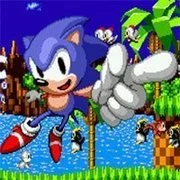
Sonic 3 & Knuckles: The Challenges

Geometry Dash Lite
Html520263714

Sonic the Hedgehog 3
Html520262241

ParaSprunki 15 – Sprunki Parasite
Html52026863

Sonic 3 Prototype
Html52026861

Kiwi Clicker
Html520267493

2v2.io
Html52026721

Incredibox Yellow Colorbox
Html520267016

Terra – A Terraria Demake
Html52026612

Mortal Kombat CX: Streets of Rage 2
Html52026580

Sonic 3 Complete – Emerald Safari
Html52026560

Fix-It Felix Jr.
Html52026490

Sonic 1 KawariNo
Html52026470
Html5
4.5
HTML5|Mouse / Keyboard|Browser
In the main screen of the game, which resembles a Level Select, the player has a choice from twelve groups of challenges. In each challenge, they must accomplish a certain goal with a specific character and reach the end of the level, within the given time limit. On doing so, they receive a Rank based upon the amount of time left and their ”score”, a figure that depends on the content of the challenge itself.
You might like
See all
Sonic CD
Html52026460

Sonic 1 – Emerald Safari
Html52026460

Granny Original
Html52026402

Billiards Master
Html52026380

Need for Speed: Most Wanted
Html52026340

Azure Colorbox
Html52026320

Mario Adventure 3
Html52026320

Sonic The Hedgehog 2
Html52026321

10×10
Html52026310

Kirby Nightmare in Dream Land
Html52026310

1942 Game (NES)
Html52026300

1212!
Html52026290

100 Meter Race
Html52026280

3D Acrylic Nail: Nail Art Game
Html52026280

3 Pandas 2: Night
Html52026260

2048 Solitaire
Html52026260

60 Minutes Til Rot
Html52026250

FNF Character Test Playground
Html52026250

7 Words
Html52026240

3 Ninjas Kick Back (SNES)
Html52026230