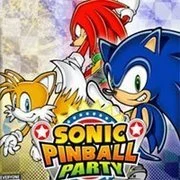
Sonic Pinball Party

Geometry Dash Lite
Html520263624

Sonic the Hedgehog 3
Html520262221

Sonic 3 Prototype
Html52026851

Kiwi Clicker
Html520267193

2v2.io
Html52026701

Incredibox Yellow Colorbox
Html520266816

ParaSprunki 15 – Sprunki Parasite
Html52026582

Mortal Kombat CX: Streets of Rage 2
Html52026550

Sonic 3 Complete – Emerald Safari
Html52026530

Terra – A Terraria Demake
Html52026532

Fix-It Felix Jr.
Html52026460

Sonic CD
Html52026450
Html5
4.5
HTML5|Mouse / Keyboard|Browser
“Sonic Pinball Party” is a pinball video game developed by Jupiter Corporation and published by Sega for the Game Boy Advance in 2003. It features Sonic the Hedgehog and other characters from the Sonic the Hedgehog series, as well as characters from other Sega franchises such as NiGHTS into Dreams and Samba de Amigo. The game combines traditional pinball gameplay with elements from Sonic the Hedgehog games, offering various pinball tables inspired by iconic Sonic locations and themes.
In “Sonic Pinball Party,” players control flippers to keep the pinball in play and score points by hitting targets and completing objectives on themed pinball tables. Each table features unique layouts, obstacles, and challenges, as well as mini-games and boss battles that add variety to the gameplay. Players can unlock additional content, including new tables and characters, by achieving high scores and completing challenges.
How to Play:
How to Play:Use only the keyboard to play. Hover your mouse over the game, which will display a lot of icons. Click on the “keyboard” icon to view default controllers settings that correspond to your keyboard keys. For example, A = Z, mean ‘A’ button on controller is equal to Z key on your keyboard. You can also change controller button to your specification.
Default Keyboard Keys: Z / X / A / S / Arrows
Figure out what which key does. Some do nothing.
Start: Enter
Save progress by hovering your mouse over the game, which will display a lot of icons at the bottom of the game, click the “Down Arrow Icon” to save and come back later and load it up by clicking the “Up Arrow Icon”.
You might like
See all
Sonic 1 KawariNo
Html52026450

Sonic 1 – Emerald Safari
Html52026430

Granny Original
Html52026382

Billiards Master
Html52026350

Need for Speed: Most Wanted
Html52026320

10×10
Html52026300

Azure Colorbox
Html52026300

Mario Adventure 3
Html52026290

1942 Game (NES)
Html52026290

Kirby Nightmare in Dream Land
Html52026280

Sonic The Hedgehog 2
Html52026281

1212!
Html52026280

100 Meter Race
Html52026270

2048 Solitaire
Html52026260

3 Pandas 2: Night
Html52026250

3D Acrylic Nail: Nail Art Game
Html52026250

60 Minutes Til Rot
Html52026240

7 Words
Html52026240

FNF Character Test Playground
Html52026240

3 Ninjas Kick Back (SNES)
Html52026230