Sprunki TV

Geometry Dash Lite
Html520263624

Sonic the Hedgehog 3
Html520262221

Sonic 3 Prototype
Html52026851

Kiwi Clicker
Html520267193

2v2.io
Html52026701

Incredibox Yellow Colorbox
Html520266816

ParaSprunki 15 – Sprunki Parasite
Html52026582

Mortal Kombat CX: Streets of Rage 2
Html52026550

Sonic 3 Complete – Emerald Safari
Html52026530

Terra – A Terraria Demake
Html52026532

Fix-It Felix Jr.
Html52026460

Sonic CD
Html52026450
HTML5|Mouse / Keyboard|Browser
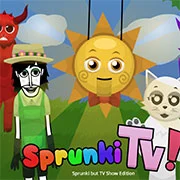
Sprunki TV Edition is a rhythm-based sandbox game created by BaggerHead, where every character has been redesigned with a television show theme. Players can drag and place different characters on the screen to mix their sounds together, building unique combinations and experimenting with how the audio blends.
At the moment, only Phase 1 of the mod is available to play, with Phase 2 planned for a future update. Check your BaggerHead, youtube channel for more updates. Even in its current stage, the game already gives players plenty of room to create interesting mixes and see how the TV-inspired visuals match up with the sounds.
You can try out Sprunki TV Edition right online, directly in your browser, and see what kinds of soundscapes you can put together.
Check out the in-game credit page for the full list of credits.
You might like
See all
Sonic 1 KawariNo
Html52026450

Sonic 1 – Emerald Safari
Html52026430

Granny Original
Html52026382

Billiards Master
Html52026350

Need for Speed: Most Wanted
Html52026320

10×10
Html52026300

Azure Colorbox
Html52026300

Mario Adventure 3
Html52026290

1942 Game (NES)
Html52026290

Kirby Nightmare in Dream Land
Html52026280

Sonic The Hedgehog 2
Html52026281

1212!
Html52026280

100 Meter Race
Html52026270

2048 Solitaire
Html52026260

3 Pandas 2: Night
Html52026250

3D Acrylic Nail: Nail Art Game
Html52026250

60 Minutes Til Rot
Html52026240

7 Words
Html52026240

FNF Character Test Playground
Html52026240

3 Ninjas Kick Back (SNES)
Html52026230