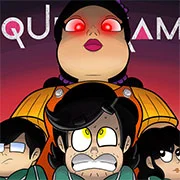
Squid Game: Game Boy Demake

Geometry Dash Lite
Html520263624

Sonic the Hedgehog 3
Html520262221

Sonic 3 Prototype
Html52026851

Kiwi Clicker
Html520267193

2v2.io
Html52026701

Incredibox Yellow Colorbox
Html520266816

ParaSprunki 15 – Sprunki Parasite
Html52026582

Mortal Kombat CX: Streets of Rage 2
Html52026550

Sonic 3 Complete – Emerald Safari
Html52026530

Terra – A Terraria Demake
Html52026532

Fix-It Felix Jr.
Html52026460

Sonic CD
Html52026450
Html5
4.5
HTML5|Mouse / Keyboard|Browser
Squid Game: Game Boy Demake is a fan-made Game Boy version of Squid Game Season 1, created by 64 Bits. This isn’t just a concept; it’s a fully playable demake built in GB Studio.
Players can relive the deadly challenges on a real Game Boy or through an emulator. The game features three endings, a secret hard mode, and even a printable manual—nostalgic fans will appreciate the retro touch.
Season 3 was just released on June 27, 2005 on Netflix. Which is the end of the Korean Squid Game.
Game Features:
Story Mode: Play through all six games with cutscenes and multiple endings.
Minigame Select: Jump into any challenge whenever you want.
Hard Mode: One life. No second chances. Beat it for the hidden true ending.
Credits:
64 Bits Animation:
► Youtube – Extra’s channel – Instagram – Patreon – Blue Sky – Twitter
Directed & Programmed:
Niels Beekes
With Art + Animation from:
Coerulea – Noah – Luna C.S. – T Studio
Netflix for the Show
How to Play:
How to Play:
Arrow keys or WASD: D-Pad
Z / Alt / J: A Button (Confirm / Jump / Action)
X / Ctrl / K: B Button (Cancel / Action)
Enter: Start
Shift: Select
You might like
See all
Sonic 1 KawariNo
Html52026450

Sonic 1 – Emerald Safari
Html52026430

Granny Original
Html52026382

Billiards Master
Html52026350

Need for Speed: Most Wanted
Html52026320

10×10
Html52026300

Azure Colorbox
Html52026300

Mario Adventure 3
Html52026290

1942 Game (NES)
Html52026290

Kirby Nightmare in Dream Land
Html52026280

Sonic The Hedgehog 2
Html52026281

1212!
Html52026280

100 Meter Race
Html52026270

2048 Solitaire
Html52026260

3 Pandas 2: Night
Html52026250

3D Acrylic Nail: Nail Art Game
Html52026250

60 Minutes Til Rot
Html52026240

7 Words
Html52026240

FNF Character Test Playground
Html52026240

3 Ninjas Kick Back (SNES)
Html52026230