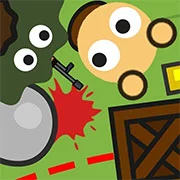
Surviv.io (Survev.io)

Geometry Dash Lite
Html520263624

Sonic the Hedgehog 3
Html520262221

Sonic 3 Prototype
Html52026851

Kiwi Clicker
Html520267193

2v2.io
Html52026701

Incredibox Yellow Colorbox
Html520266816

ParaSprunki 15 – Sprunki Parasite
Html52026582

Mortal Kombat CX: Streets of Rage 2
Html52026550

Sonic 3 Complete – Emerald Safari
Html52026530

Terra – A Terraria Demake
Html52026532

Fix-It Felix Jr.
Html52026460

Sonic CD
Html52026450
Html5
4.5
HTML5|Mouse / Keyboard|Browser
Survev.io (Formerly Surviv.io) – A Fast-Paced Battle Royale Experience
Survev.io keeps the same intense battle royale gameplay as its predecessor, Surviv.io. Players fight to be the last one standing in a shrinking battlefield, similar to Fortnite or PUBG but in 2D. Scavenge for weapons, armor, and supplies while staying inside the safe zone—marked on your mini-map—as it closes in. The game tracks remaining players in real time, so strategy and quick thinking are key to victory.
How to Play Survev.io
The goal is simple: survive. You start unarmed on an island with around 50 other players. Weapons, ammo, and gear are scattered across the map—grab them fast to gain an advantage. Eliminate opponents to loot their supplies, but be careful—one death means game over. Always stay inside the safe zone, or you’ll take damage.
Game Modes
Solo: Fight alone against everyone else.
Duo: Team up with one other player.
Squad: Form a group of four for team-based survival.
Temporary modes also appear, introducing unique rules for limited-time challenges.
Best Weapons
With over 100 weapons available, two stand out:
M249: High damage, great accuracy, and shreds through cover.
Saiga-12: A rare but devastating shotgun, especially with red ammo.
How to Play:
How to Play:
Movement: W, A, S, D
Aim: Mouse
Melee/Shoot: Left-Click
Change Weapons: 1 through 4 or Scroll Wheel
Stow Weapons (Melee Mode): 3 or E
Swap to Previous Weapon: Q
Switch Gun Slots: T or drag gun to other slot
Reload: R
Scope Zoom: Left-click on Zoom
Pickup/Loot/Revive: F
Use Medical Item: Left-Click on Item or 7 through 0
Drop Item: Right-Click on Item
Cancel Action: X
View Map: M or G
Toggle Minimap: V
Use Team Ping Wheel: Hold C, then hold Right-Click and drag mouse, then release Right-Click.
Use Emote Wheel: Hold Right-Click and drag the mouse, then release the Right-Click.
You might like
See all
Sonic 1 KawariNo
Html52026450

Sonic 1 – Emerald Safari
Html52026430

Granny Original
Html52026382

Billiards Master
Html52026350

Need for Speed: Most Wanted
Html52026320

10×10
Html52026300

Azure Colorbox
Html52026300

Mario Adventure 3
Html52026290

1942 Game (NES)
Html52026290

Kirby Nightmare in Dream Land
Html52026280

Sonic The Hedgehog 2
Html52026281

1212!
Html52026280

100 Meter Race
Html52026270

2048 Solitaire
Html52026260

3 Pandas 2: Night
Html52026250

3D Acrylic Nail: Nail Art Game
Html52026250

60 Minutes Til Rot
Html52026240

7 Words
Html52026240

FNF Character Test Playground
Html52026240

3 Ninjas Kick Back (SNES)
Html52026230