Tecmo Bowl

Geometry Dash Lite
Html520263624

Sonic the Hedgehog 3
Html520262221

Sonic 3 Prototype
Html52026851

Kiwi Clicker
Html520267193

2v2.io
Html52026701

Incredibox Yellow Colorbox
Html520266816

ParaSprunki 15 – Sprunki Parasite
Html52026582

Mortal Kombat CX: Streets of Rage 2
Html52026550

Sonic 3 Complete – Emerald Safari
Html52026530

Terra – A Terraria Demake
Html52026532

Fix-It Felix Jr.
Html52026460

Sonic CD
Html52026450
Html5
4.5
HTML5|Mouse / Keyboard|Browser
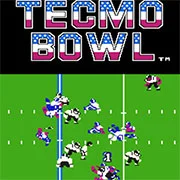
Tecmo Bowl is a classic American football video game developed by Tecmo, originally released in arcade format before being adapted for the Nintendo Entertainment System (NES). The arcade version is known for its distinctive large two-monitor cabinet and supports up to four players, making it a popular choice for multiplayer gaming. This version allows players to choose from two fictional teams—the Wildcats and the Bulldogs—and features advanced 2D graphics with a larger color palette and more detailed sprites compared to later versions. Additionally, it includes gameplay elements like the ability to break tackles, adding depth and excitement to the matches.
The NES version of “Tecmo Bowl,” while only supporting two players, offers several unique features that differentiate it from its arcade counterpart. Players can select from three modes: one-player, two-player, and coach. In one-player mode, gamers choose a team to compete against the computer, receiving a password after each win to continue their championship quest, while consistently playing as their original team. The two-player mode facilitates head-to-head play against another person. The coach mode, exclusive to the NES version, allows players to focus on strategy by selecting plays while the game executes the action, a feature not available in the arcade version.
“Tecmo Bowl” has left a lasting impact on the gaming world, offering engaging gameplay and innovative features that set it apart from other sports video games of its time.
You might like
See all
Sonic 1 KawariNo
Html52026450

Sonic 1 – Emerald Safari
Html52026430

Granny Original
Html52026382

Billiards Master
Html52026350

Need for Speed: Most Wanted
Html52026320

10×10
Html52026300

Azure Colorbox
Html52026300

Mario Adventure 3
Html52026290

1942 Game (NES)
Html52026290

Kirby Nightmare in Dream Land
Html52026280

Sonic The Hedgehog 2
Html52026281

1212!
Html52026280

100 Meter Race
Html52026270

2048 Solitaire
Html52026260

3 Pandas 2: Night
Html52026250

3D Acrylic Nail: Nail Art Game
Html52026250

60 Minutes Til Rot
Html52026240

7 Words
Html52026240

FNF Character Test Playground
Html52026240

3 Ninjas Kick Back (SNES)
Html52026230