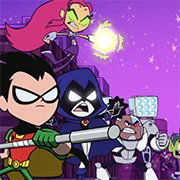
Teen Titans Go: Battle BootCamp

Geometry Dash Lite
Html520263634

Sonic the Hedgehog 3
Html520262221

Sonic 3 Prototype
Html52026851

Kiwi Clicker
Html520267193

2v2.io
Html52026701

Incredibox Yellow Colorbox
Html520266816

ParaSprunki 15 – Sprunki Parasite
Html52026582

Mortal Kombat CX: Streets of Rage 2
Html52026550

Sonic 3 Complete – Emerald Safari
Html52026550

Terra – A Terraria Demake
Html52026532

Fix-It Felix Jr.
Html52026460

Sonic CD
Html52026450
Html5
4.5
HTML5|Mouse / Keyboard|Browser
Enter the battle arena and take on Gizmo’s army of evil robots with the Teen Titans in this action-packed 3D fighting game. With 10 levels of robot battling madness, players must use the power of all five Titans’ weapons, special moves, and even the arena itself to emerge victorious, including a showdown with a giant robot boss.
In Battle Bootcamp, players can swap between the Titans during gameplay, allowing them to access unique special moves specific to each character. From Robin’s bird-a-rang grappling hook to Beast Boy’s T-Rex transformation, each hero has something different to offer. Players will face a variety of enemies with different strengths, weaknesses, and tactics, such as sneaky snakes, charging bulls, shooting mice, and clever generals who use arena hazards to their advantage.
In addition to battling enemies, players can also activate giant lasers and trapdoors in the arena to dispatch their foes quickly. Power-ups scattered throughout the arenas can also be collected to enhance the player or enemy’s abilities, with effects that stack and raise the stakes as the battle rages on. With eclectic locations such as galactic prisons, zoos, and ninja fortresses, rooftop brawls, and battles in the Titans’ own Tower, Battle Bootcamp offers a thrilling and action-packed experience for fans of the Teen Titans.
Credits:Watch the show on the Cartoon Network TV channel.
You might like
See all
Sonic 1 KawariNo
Html52026450

Sonic 1 – Emerald Safari
Html52026430

Granny Original
Html52026382

Billiards Master
Html52026350

Need for Speed: Most Wanted
Html52026320

10×10
Html52026300

Azure Colorbox
Html52026300

Mario Adventure 3
Html52026290

1942 Game (NES)
Html52026290

Kirby Nightmare in Dream Land
Html52026280

Sonic The Hedgehog 2
Html52026281

1212!
Html52026280

100 Meter Race
Html52026270

2048 Solitaire
Html52026260

3 Pandas 2: Night
Html52026250

3D Acrylic Nail: Nail Art Game
Html52026250

60 Minutes Til Rot
Html52026240

7 Words
Html52026240

FNF Character Test Playground
Html52026240

3 Ninjas Kick Back (SNES)
Html52026230