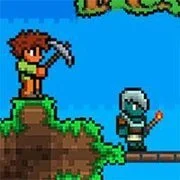
Terraria Online
Minecraft
Simulation20261204

Basketball Stars
Simulation2026663
Cluster Rush
Simulation2026360
Paper Minecraft
Simulation2026350
Airport Madness 4
Simulation2026300
Snow Rider 3D
Simulation2026170
Grow a Garden
Simulation2026160
Last Play: Ragdoll Sandbox
Simulation2026140
KittyToy
Simulation2026141

Big Shot Boxing
Simulation2026140
AI TPYING ASSISTANT
Simulation2026120
Sorry Bob
Simulation2026120
HTML5|Mouse / Keyboard|Browser
Terraria Online: A Fun Sandbox Adventure for Players
Terraria is a sandbox game that mixes building, exploration, survival, and combat in a procedurally generated 2D world. If you’re into games where you shape your own experience, this one lets you dive into unique worlds full of different biomes like forests, deserts, jungles, mountains, oceans, and hidden underground spots with dungeons waiting to be discovered. Each time you start, the layout changes based on what you do, making every playthrough feel fresh.
One cool part is gathering resources to craft all sorts of stuff – think weapons, armor, tools, and even potions that give your character an edge. You’ll figure out recipes as you explore, which adds to the challenge of building houses, structures, or tricky mechanisms from blocks you collect. It’s straightforward once you get the hang of it, and it ties right into surviving tougher spots.
Speaking of challenges, the game throws in epic bosses that push you to upgrade your gear with rare materials and enchanted items. Beating them unlocks rewards that open up more of the world, keeping things engaging without feeling overwhelming.
You can play Terraria online fast and easy on kbhgames.com for free, right in your browser – no downloads needed, thanks to this Scratch-based version. With near-endless ways to explore and create, it’s a solid pick if you want a game that adapts to how you play.
Made by griffpatch. Subscribe to youtube channel
Updated to v0.65b.
How to Play:
How to Play:
[WASD] to move
[Click] to dig or place items (based on tool)
[0 to 9] Select Tool
[E] Open / Close Inventory
[Q] Quick select torch (then click to place)
[C] Center screen on mouse
[X] fire grappling hook (if you have
You might like
See all
WorldZ Minecraft
Simulation202680
Stickman Destruction
Simulation202660
Rollercoaster Creator Express
Simulation202660

Pizza King
Simulation202660
Security Simulator
Simulation202660

TU-46
Simulation202660
Sandbox City
Simulation202660

Basic Biking
Simulation202650
Mine Blocks
Simulation202650

Ultimate Football Manager Season 2015
Simulation202650

Turbo Dismounting
Simulation202650

Jumpers for Goalposts 3
Simulation202650
Taz Mechanic Simulator
Simulation202650
Xtreme Demolition Arena Derby
Simulation202650
Terato Tamer
Simulation202650
That’s Not My Neighbor
Simulation202650
Electric Trains
Simulation202640
Don’t Drink & Drive Simulator
Simulation202640
Bob AI
Simulation202640
Old Country Bus Simulator
Simulation202640