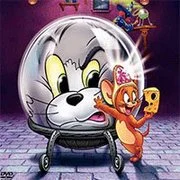
Tom and Jerry: The Magic Ring

Geometry Dash Lite
Html520263624

Sonic the Hedgehog 3
Html520262221

Sonic 3 Prototype
Html52026851

Kiwi Clicker
Html520267193

2v2.io
Html52026701

Incredibox Yellow Colorbox
Html520266816

ParaSprunki 15 – Sprunki Parasite
Html52026582

Mortal Kombat CX: Streets of Rage 2
Html52026550

Sonic 3 Complete – Emerald Safari
Html52026530

Terra – A Terraria Demake
Html52026532

Fix-It Felix Jr.
Html52026460

Sonic CD
Html52026450
Html5
4.5
HTML5|Mouse / Keyboard|Browser
The storyline closely follows the plot of the movie, where both Tom and Jerry become inadvertently involved with a magical ring owned by their young wizard master, Chip. The ring gets stuck on Jerry’s head, leading to a series of chaotic events fueled by magic and the usual cat-and-mouse antics. The magic adds an unexpected twist to their interactions, escalating their typical rivalry to new heights.
As the player, your goal is to navigate through the game’s levels to ultimately put everything back to normal. Depending on whether you choose to play as Tom or Jerry, your objectives and enemies will differ, providing varied gameplay experiences. Each character has specific abilities and strategies to overcome obstacles and combat the opposing side.
You might like
See all
Sonic 1 KawariNo
Html52026450

Sonic 1 – Emerald Safari
Html52026430

Granny Original
Html52026382

Billiards Master
Html52026350

Need for Speed: Most Wanted
Html52026320

10×10
Html52026300

Azure Colorbox
Html52026300

Mario Adventure 3
Html52026290

1942 Game (NES)
Html52026290

Kirby Nightmare in Dream Land
Html52026280

Sonic The Hedgehog 2
Html52026281

1212!
Html52026280

100 Meter Race
Html52026270

2048 Solitaire
Html52026260

3 Pandas 2: Night
Html52026250

3D Acrylic Nail: Nail Art Game
Html52026250

60 Minutes Til Rot
Html52026240

7 Words
Html52026240

FNF Character Test Playground
Html52026240

3 Ninjas Kick Back (SNES)
Html52026230