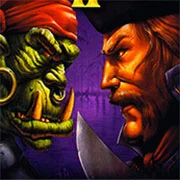
Warcraft II: Tides of Darkness
The King of Fighters 97
Retro20262583
The King of Fighters 98
Retro2026783
Sonic and Knuckles (Sega)
Retro2026590
The King of Fighters 2002
Retro2026541
2-Bit Explorer
Retro2026460
21st Century Roguelike Pac-Man
Retro2026230
Nip For Speed
Retro2026220
The King of Fighters 2000
Retro2026200
1Quest
Retro2026190
Driver (PS1)
Retro2026150
Sonic 1 Mixed Beta
Retro2026140
Cadillacs and Dinosaurs Flash
Retro2026130
Retro
4.5
HTML5|Mouse / Keyboard|Browser
“Warcraft II: Tides of Darkness” is a real-time strategy game where players command either the human Alliance or the orcish Horde, each with distinct units and playstyles. Released in 1995, it set the standard for the genre with deep base-building, resource management, and large-scale battles.
In this online version you can play the Campaign as Orc or Human.
The game has four campaigns—two per faction—letting players experience the war from both sides. The story follows the conflict over Azeroth, filled with betrayals, magic, and legendary battles.
Players gather gold and lumber, expand their bases, and train armies with infantry, ranged units, siege engines, and spellcasters. Tactics matter, whether sneaking past defenses with scouts or overwhelming foes with numbers.
For those who prefer browser-based gaming, similar strategy experiences can be found fast and easy on KBHGames.com. The site offers a range of quick-play titles without long downloads.
Key aspects:
Two unique factions with different strengths
Base-building and resource control
Hero units and powerful spells
It’s a game of planning and reflexes—perfect for players who enjoy thinking ahead while reacting fast. The expansions and mods kept it alive long after release, proving its lasting appeal.
How to Play:
How to Play:
Left click: Selects a unit or building. Holding it allows you to select multiple units.
Right click: Assigns an action — movement, attack, or resource gathering.
Keyboard arrows: Control camera movement on the map, in addition to using the mouse.
You might like
See all
Knights of the Round (Arcade)
Retro2026130
Sonic 3000
Retro2026130
SNK vs. Capcom: SVC Chaos Super Plus
Retro2026130
Final Fight (Arcade)
Retro2026120
The Grape Escape
Retro2026120
Sonic the Hedgehog: Megadriven
Retro2026100
Leaf Me Alone Expanded
Retro2026100
Double Dragon (Arcade)
Retro202680
Battle Circuit
Retro202680
Silent Hills
Retro202680
Need for Speed: V-Rally
Retro202680
Legends of Necrodungeons
Retro202680
The King of Fighters 2001
Retro202670
Godzilla (Arcade)
Retro202670
Batman (Arcade)
Retro202670
Sonic 1 Blastless
Retro202670
Must-a-Mine
Retro202670
Abobo Big Adventure
Retro202670
Lightning Swords / Ken-Go (Arcade)
Retro202670
Mappy (Arcade)
Retro202660