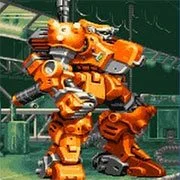
Armored Warriors
The King of Fighters 97
Retro202626138
The King of Fighters 98
Retro2026783
Sonic and Knuckles (Sega)
Retro2026590
The King of Fighters 2002
Retro2026541
2-Bit Explorer
Retro2026460
21st Century Roguelike Pac-Man
Retro2026230
Nip For Speed
Retro2026220
The King of Fighters 2000
Retro2026200
1Quest
Retro2026190
Driver (PS1)
Retro2026150
Sonic 1 Mixed Beta
Retro2026140
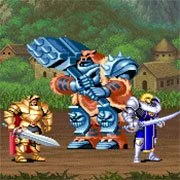
Knights of the Round (Arcade)
Retro2026140
Retro
4.5
HTML5|Mouse / Keyboard|Browser
Operate a heavy duty mecha with a large array of different parts for varied attacks. Multiple regions of the mech could be switched, including the arms, legs and handheld weaponry. Such parts were gained (or lost) by inflicting damage upon enemies, which would cause various parts to disembark and be wielded by the player. Additionally, by using commands, the players could use an option called a “Team-up Change” which initiated a powerful attack used in tandem, and could also further the customization of weapons by using a main and sub-weapon.
Gameplay follows a mission-like structure, with seven in total. Each stage consists of the game giving the player prerequisites such as a time-limit to eliminate enemies, a set amount of ammo for weapons, and destroying a varying amount of enemies. Each stage ended with a boss character, and the game provided a competent replay value with the customization options.
Story: In the year 2281, the United Earth Government and the Principalities of Raia signed a ceasefire treaty, ending a war that lasted for half a century. One year after the signing of the treaty, the United Earth Government’s 18th scouting party reported that the Raian capital, Melkide, has been captured by an army of unknown origin. The United Earth Government decided to dispatch an army to Raia to retake the capital and rescue its citizens. However, unbeknownst to the general public, the true purpose of this operation was to eliminate the unknown enemy and bring Raia under Earth’s control. (Wikipedia)
You might like
See all
Cadillacs and Dinosaurs Flash
Retro2026130
Sonic 3000
Retro2026130
SNK vs. Capcom: SVC Chaos Super Plus
Retro2026130
Final Fight (Arcade)
Retro2026120
The Grape Escape
Retro2026120
Sonic the Hedgehog: Megadriven
Retro2026100
Leaf Me Alone Expanded
Retro2026100
Battle Circuit
Retro202680
Double Dragon (Arcade)
Retro202680
Silent Hills
Retro202680
Legends of Necrodungeons
Retro202680
Need for Speed: V-Rally
Retro202680
The King of Fighters 2001
Retro202670
Must-a-Mine
Retro202670
Godzilla (Arcade)
Retro202670
Batman (Arcade)
Retro202670
Sonic 1 Blastless
Retro202670
Lightning Swords / Ken-Go (Arcade)
Retro202670
Abobo Big Adventure
Retro202670
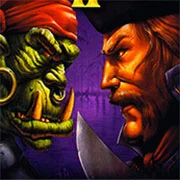
Warcraft II: Tides of Darkness
Retro202660