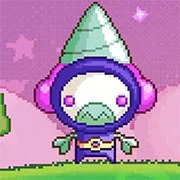
Chisel 2
The King of Fighters 97
Retro20262583
The King of Fighters 98
Retro2026783
Sonic and Knuckles (Sega)
Retro2026590
The King of Fighters 2002
Retro2026541
2-Bit Explorer
Retro2026460
21st Century Roguelike Pac-Man
Retro2026230
Nip For Speed
Retro2026220
The King of Fighters 2000
Retro2026200
1Quest
Retro2026190
Driver (PS1)
Retro2026150
Sonic 1 Mixed Beta
Retro2026140
Cadillacs and Dinosaurs Flash
Retro2026130
Retro
4.5
HTML5|Mouse / Keyboard|Browser
Chisel 2 is an action-packed puzzle platformer where players take control of a small robot called the “Chiseler.” The goal is to slice away parts of different planets until they’re reduced to the right size, all while avoiding hazards. Unlike the first game, this sequel brings in levels with several planets, meaning you’ll need to master a rocket jump mechanic to travel between them.
Players use simple controls: the arrow keys move and jump, while the space bar drills through the planet’s surface. Holding the jump key lets you launch with a rocket jump, which is key for reaching other planets and progressing through tougher stages.
You can play Chisel 2 online at kbhgames.com completely free, directly in your browser. It loads quickly, so players can jump into the action without any delays. This makes it easy to pick up whenever you want a short but engaging puzzle-platform challenge.
Credits:Chisel 2 is developed by nitrome.
You might like
See all
Sonic 3000
Retro2026130
Knights of the Round (Arcade)
Retro2026130

SNK vs. Capcom: SVC Chaos Super Plus
Retro2026130
Final Fight (Arcade)
Retro2026120

The Grape Escape
Retro2026120

Sonic the Hedgehog: Megadriven
Retro2026100
Leaf Me Alone Expanded
Retro2026100
Battle Circuit
Retro202680
Double Dragon (Arcade)
Retro202680

Silent Hills
Retro202680
Legends of Necrodungeons
Retro202680
Need for Speed: V-Rally
Retro202680

The King of Fighters 2001
Retro202670
Must-a-Mine
Retro202670
Godzilla (Arcade)
Retro202670
Batman (Arcade)
Retro202670
Sonic 1 Blastless
Retro202670
Lightning Swords / Ken-Go (Arcade)
Retro202670
Abobo Big Adventure
Retro202670
Warcraft II: Tides of Darkness
Retro202660