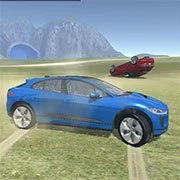
Derby Crash 4

Minecraft
Simulation20261204

Basketball Stars
Simulation2026663
Terraria Online
Simulation2026513
Cluster Rush
Simulation2026360
Paper Minecraft
Simulation2026350

Airport Madness 4
Simulation2026300
Snow Rider 3D
Simulation2026170

Grow a Garden
Simulation2026160
Last Play: Ragdoll Sandbox
Simulation2026140

KittyToy
Simulation2026141

Big Shot Boxing
Simulation2026140
Sorry Bob
Simulation2026120
Simulation
4.5
HTML5|Mouse / Keyboard|Browser
Derby Crash 4 is the fourth episode of the Derby Crash series with more recent new cars, and an independent train running in the scenario.
How to Play:
How to Play:
“WASD” or Arrows = drive
“Space bar” = handbrake
“Enter”= unflip
“C” = change camera view
“R” = repair
“T” = time frame
“L” = unlock mouse when driving tank
Terraform Controls
WASD = move Camera
Left Mouse Button (hold) + mouse axis = rotate camera
Left Mouse Button (hold) = drag terraformer shape
Middle Mouse Button = increase/decrease deformer height
1 to 5 Key = modify terrain
You might like
See all
AI TPYING ASSISTANT
Simulation2026120

WorldZ Minecraft
Simulation202680
Rollercoaster Creator Express
Simulation202660

Pizza King
Simulation202660
Stickman Destruction
Simulation202660

Security Simulator
Simulation202660

TU-46
Simulation202660
Sandbox City
Simulation202660
Mine Blocks
Simulation202650

Ultimate Football Manager Season 2015
Simulation202650
Basic Biking
Simulation202650

Jumpers for Goalposts 3
Simulation202650

Turbo Dismounting
Simulation202650
Taz Mechanic Simulator
Simulation202650
Xtreme Demolition Arena Derby
Simulation202650
That’s Not My Neighbor
Simulation202650

Terato Tamer
Simulation202650
Electric Trains
Simulation202640

DuckLife
Simulation202640

Bob AI
Simulation202640