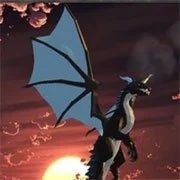
Dragon Simulator Multiplayer

Minecraft
Simulation20261204

Basketball Stars
Simulation2026663
Terraria Online
Simulation2026513
Cluster Rush
Simulation2026370

Paper Minecraft
Simulation2026350

Airport Madness 4
Simulation2026300
Snow Rider 3D
Simulation2026170

Grow a Garden
Simulation2026160

KittyToy
Simulation2026141

Big Shot Boxing
Simulation2026140
Last Play: Ragdoll Sandbox
Simulation2026140
Sorry Bob
Simulation2026120
Simulation
4.5
HTML5|Mouse / Keyboard|Browser
Dragon Simulator Multiplayer allow you to take control a fire breathing dragon and roam around the city.
Join a server with other players.
How to Play:
How to Play: WASD or arrow keys: move
Space: fly-Up
L Shift: sprint
Q: jump
C: down
R: dodge
Shift + Left mouse click: fire breath
Left mouse click: fireball
Right mouse click: melee attack
T: chat
M: map
Esc: pause menu
You might like
See all
AI TPYING ASSISTANT
Simulation2026120

WorldZ Minecraft
Simulation202680

Sandbox City
Simulation202660
Rollercoaster Creator Express
Simulation202660
Stickman Destruction
Simulation202660

TU-46
Simulation202660

Pizza King
Simulation202660

Security Simulator
Simulation202660
Mine Blocks
Simulation202650
Xtreme Demolition Arena Derby
Simulation202650

Basic Biking
Simulation202650

Ultimate Football Manager Season 2015
Simulation202650

Terato Tamer
Simulation202650

Jumpers for Goalposts 3
Simulation202650
Taz Mechanic Simulator
Simulation202650

Turbo Dismounting
Simulation202650
That’s Not My Neighbor
Simulation202650

Electric Trains
Simulation202640

DuckLife
Simulation202640

Bob AI
Simulation202640