
Late Night TV
The King of Fighters 97
Retro20262583
The King of Fighters 98
Retro2026783
Sonic and Knuckles (Sega)
Retro2026590

The King of Fighters 2002
Retro2026541
2-Bit Explorer
Retro2026460
21st Century Roguelike Pac-Man
Retro2026230
Nip For Speed
Retro2026220
The King of Fighters 2000
Retro2026200
1Quest
Retro2026190
Driver (PS1)
Retro2026150
Sonic 1 Mixed Beta
Retro2026140
Cadillacs and Dinosaurs Flash
Retro2026130
Retro
4.5
HTML5|Mouse / Keyboard|Browser
“Late Night TV” is a brief yet spine-tingling horror game that plunges you into the eerie atmosphere of watching television late at night. As the clock ticks past bedtime, you’ll find yourself drawn into a chilling narrative that unfolds before your eyes. For the most immersive and hair-raising experience, we recommend using headphones and playing in fullscreen mode. Prepare for a night of suspense and supernatural encounters as you embark on this late-night TV adventure.
Credits:
Art and Programming: GooseStranger
Music and Sound Effects: freesound.org and https://opengameart.org
How to Play:
How to Play:
WASD / Arrow keys to move
Mouse to look around
E to interact
You might like
See all
Sonic 3000
Retro2026130
Knights of the Round (Arcade)
Retro2026130

SNK vs. Capcom: SVC Chaos Super Plus
Retro2026130
Final Fight (Arcade)
Retro2026120

The Grape Escape
Retro2026120

Sonic the Hedgehog: Megadriven
Retro2026100
Leaf Me Alone Expanded
Retro2026100
Battle Circuit
Retro202680
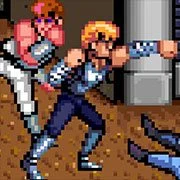
Double Dragon (Arcade)
Retro202680
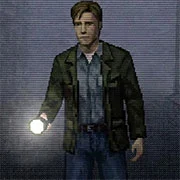
Silent Hills
Retro202680
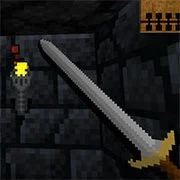
Legends of Necrodungeons
Retro202680
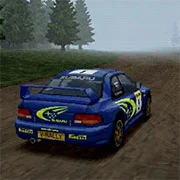
Need for Speed: V-Rally
Retro202680

The King of Fighters 2001
Retro202670

Must-a-Mine
Retro202670
Godzilla (Arcade)
Retro202670
Batman (Arcade)
Retro202670
Sonic 1 Blastless
Retro202670
Lightning Swords / Ken-Go (Arcade)
Retro202670
Abobo Big Adventure
Retro202670
Warcraft II: Tides of Darkness
Retro202660