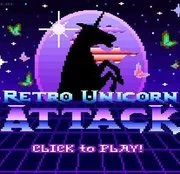
Retro Unicorn Attack
The King of Fighters 97
Retro20262583
The King of Fighters 98
Retro2026783
Sonic and Knuckles (Sega)
Retro2026590

The King of Fighters 2002
Retro2026541
2-Bit Explorer
Retro2026460
21st Century Roguelike Pac-Man
Retro2026230
Nip For Speed
Retro2026220
The King of Fighters 2000
Retro2026200
1Quest
Retro2026190
Driver (PS1)
Retro2026150
Sonic 1 Mixed Beta
Retro2026140

SNK vs. Capcom: SVC Chaos Super Plus
Retro2026130
Retro
4.5
HTML5|Mouse / Keyboard|Browser
Our favorite running unicorn is back in an all-new all-old web game! Turn back the clock to a time where graphics were horrible, buttons had lag time and almost everything looked like a phallic symbol.
How to Play:
How to Play:Press the Z key to jump. Press again in the air to double jump.
Press the X key to dash through stars.
You might like
See all
Knights of the Round (Arcade)
Retro2026130
Cadillacs and Dinosaurs Flash
Retro2026130
Sonic 3000
Retro2026130
Final Fight (Arcade)
Retro2026120

The Grape Escape
Retro2026120

Sonic the Hedgehog: Megadriven
Retro2026100
Leaf Me Alone Expanded
Retro2026100
Battle Circuit
Retro202680
Double Dragon (Arcade)
Retro202680

Silent Hills
Retro202680
Need for Speed: V-Rally
Retro202680
Legends of Necrodungeons
Retro202680

The King of Fighters 2001
Retro202670

Must-a-Mine
Retro202670
Godzilla (Arcade)
Retro202670
Batman (Arcade)
Retro202670
Abobo Big Adventure
Retro202670
Sonic 1 Blastless
Retro202670
Lightning Swords / Ken-Go (Arcade)
Retro202670
Warcraft II: Tides of Darkness
Retro202660